

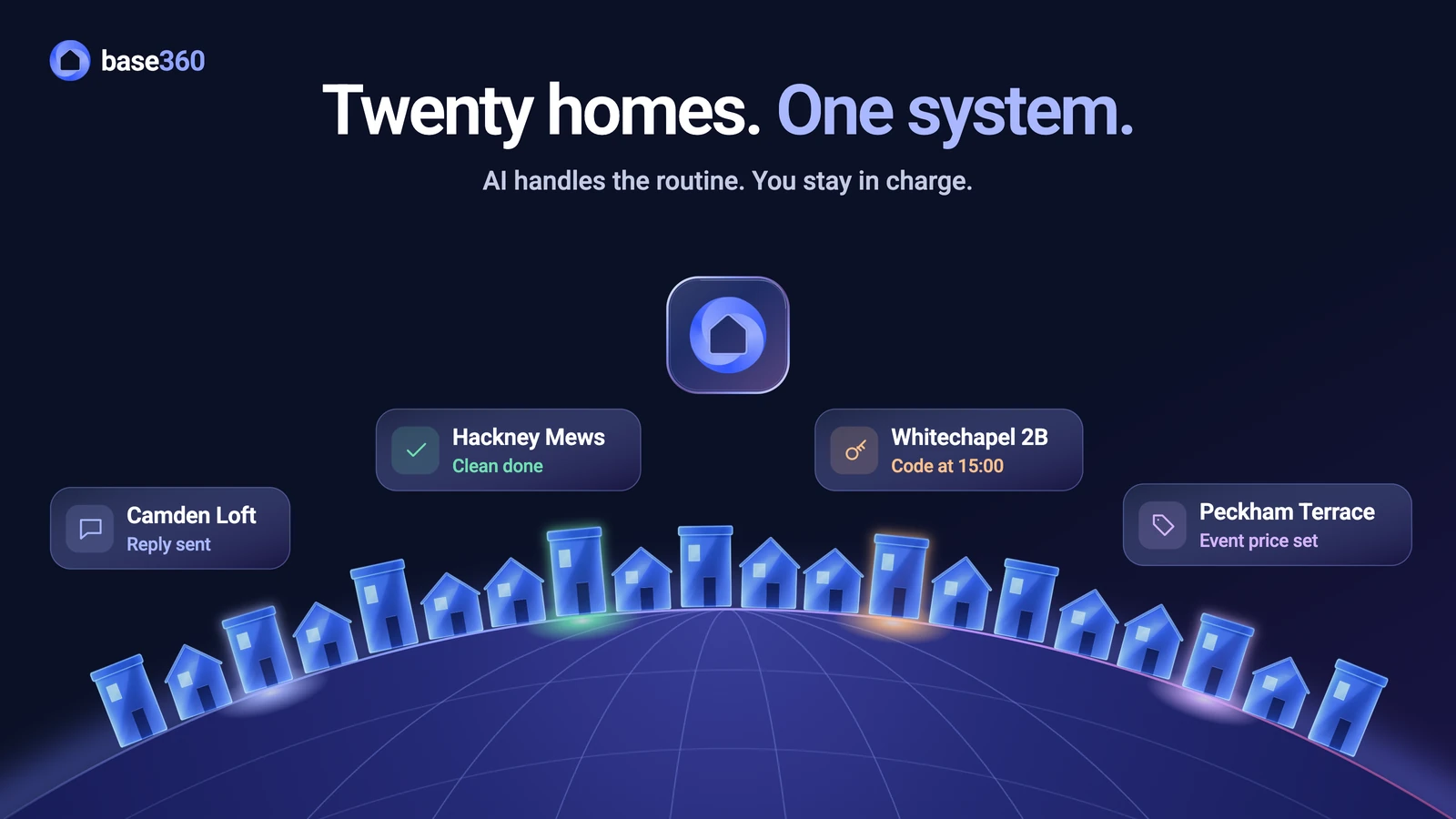
Sound familiar?
With two Airbnb listings you can run everything from your phone. Somewhere between five and twenty, the same habits start to cost you. If you are growing, you have probably met all six of these:
- A guest can’t get in, and nobody sees it. They wrote on WhatsApp at 23:00 that the key safe won’t open. Your team was watching the Airbnb app, so the message sat there for an hour.
- The same night is sold twice. Saturday night was sold on Airbnb at 14:00. Booking.com still showed it as free because your calendars only swap updates every few hours, and a second guest took it at 15:00.
- The cleaner knocks during a late checkout. The guest paid to stay until 13:00. You agreed it in the Airbnb chat, but the cleaner only reads the WhatsApp group, so they came at 10:00.
- Prices miss the big weekend. A concert fills the city. Changing fifteen listings by hand takes an evening, and by then your flats are booked at last month’s rate.
- The door code reaches the wrong person. It went out automatically the day after booking, weeks before anyone checked who was actually coming.
- Two people answer the same guest. Three of you share the inboxes and no one owns a property, so two of you reply to the same question while the next guest waits.
Others see the same thing. Properly, a cleaning software company, says hand-run cleaner coordination breaks down at three to five properties. So the first question is what Airbnb itself already gives you.
What Airbnb’s own tools cover
Airbnb does more here than many hosts realise. Its professional hosting tools add a multi-calendar, rule-sets, tasks and insights for all your listings. You can also add up to 10 co-hosts per listing, each with one of three levels of access: full access, calendar and messaging access, or calendar access.
But all of it stops at Airbnb. A Booking.com booking, a WhatsApp message or a cleaner’s schedule never appears there. And Airbnb’s own smart lock connection works with three brands, Schlage, August and Yale, in the US and Canada only (checked 13 October 2026). So once you take bookings in more than one place, you need one system above the channels.
Base360, problem by problem
Base360 runs the work that repeats for every property in one system, for Airbnb and your other channels together. Here is how it handles each of the six problems above:
- Messages: Airbnb, Booking.com, WhatsApp, SMS, email and calls land in one inbox, so a guest’s WhatsApp at 23:00 sits next to the Airbnb messages, where the person on shift sees it. AI drafts or sends the routine replies and hands the rest to your team.
- Double bookings: a built-in channel manager sends your availability from one calendar to your connected channels over a direct connection, not through calendar links that update every few hours.
- Cleaning: every checkout becomes a clean. When a guest buys a late checkout, the clean moves with it, and every booking change reaches the cleaning team by WhatsApp and email.
- Pricing: one rule changes a whole group of homes, and you pick events such as a concert weekend from a catalogue. An AI agent makes the small daily changes, and bigger ones wait for your approval.
- Check-in: the door code goes out only when the guest has verified their ID and finished check-in, and the time you set has come.
- Team: each person sees the properties and inboxes they look after, and each inbox has one owner, so every guest has one person answering.
The sections below show how each one works. To see it with your own properties, channels and team, book a 30-minute demo.
Messages: one inbox for the team
Base360 brings messages from connected booking sites such as Airbnb and Booking.com into one inbox, together with WhatsApp, SMS, email and phone calls. So nobody has to watch four apps, and a WhatsApp message at 23:00 sits in the same queue as an Airbnb one.
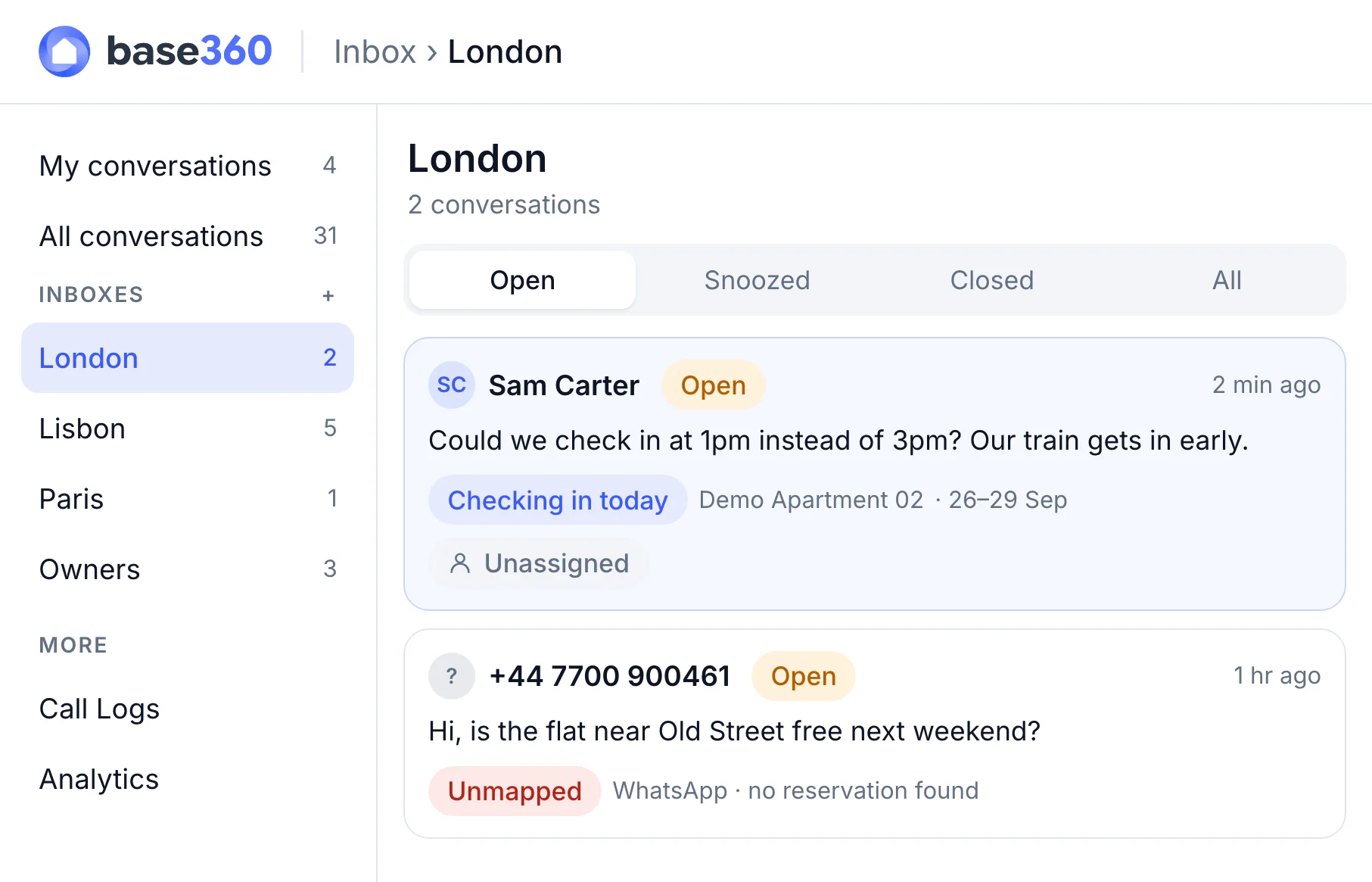
Next to each conversation you see the booking, the property, the stay dates and whether check-in and payment are done. That context is also what the AI uses. Depending on how you set up each inbox, it drafts replies for your team to send or answers routine questions itself, from your house manual and knowledge base. When it isn’t sure, it leaves a draft and hands the conversation over. Each inbox can be assigned to a person or a department, so every guest has one owner. Our unified inbox guide goes deeper.
Calendars: one source of availability
Base360 has a channel manager built in, so one calendar sends your availability, prices and blocks to every channel you connect. That matters because calendar links are slow: Airbnb updates imported calendars about every 3 hours, and a booking made in that gap can sell the same night twice.
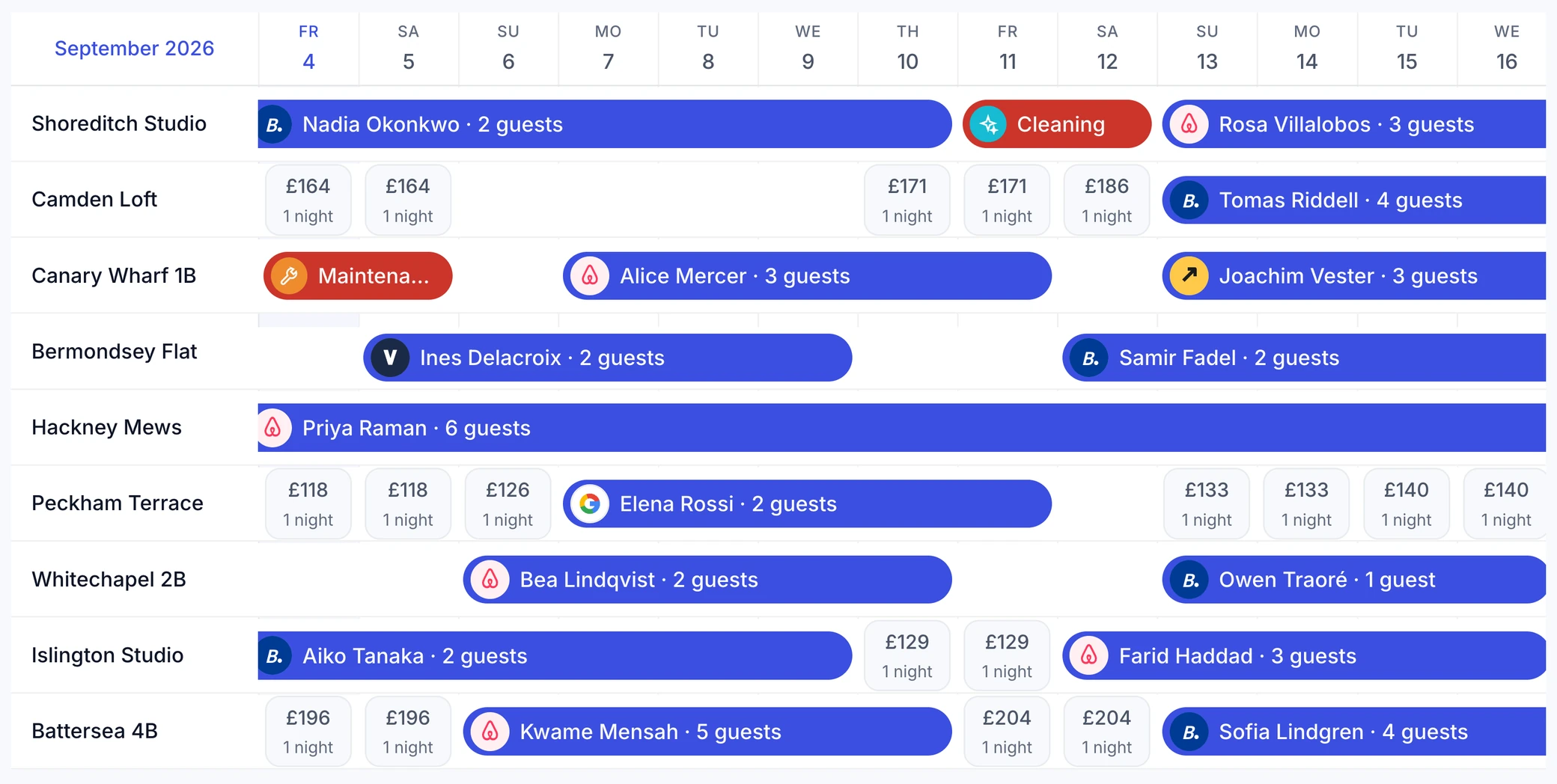
Base360 connects to the booking sites through Channex instead of calendar links. Ten channels are built in, and more than 130 can be connected on request. Changes are queued and sent to each channel, and new bookings, changes and cancellations come back into the same calendar.
Good to knowNo software can promise that a double booking will never happen. After a big change, open a few listings on Airbnb and Booking.com and compare them with Base360.
Cleaning: every change reaches the team
Base360 turns every checkout from a connected booking into a cleaning task, assigned to a cleaner by you, or automatically with an AI agent set up. So the schedule no longer lives in a group chat, and a same-day check-in is flagged before anyone has to ask.
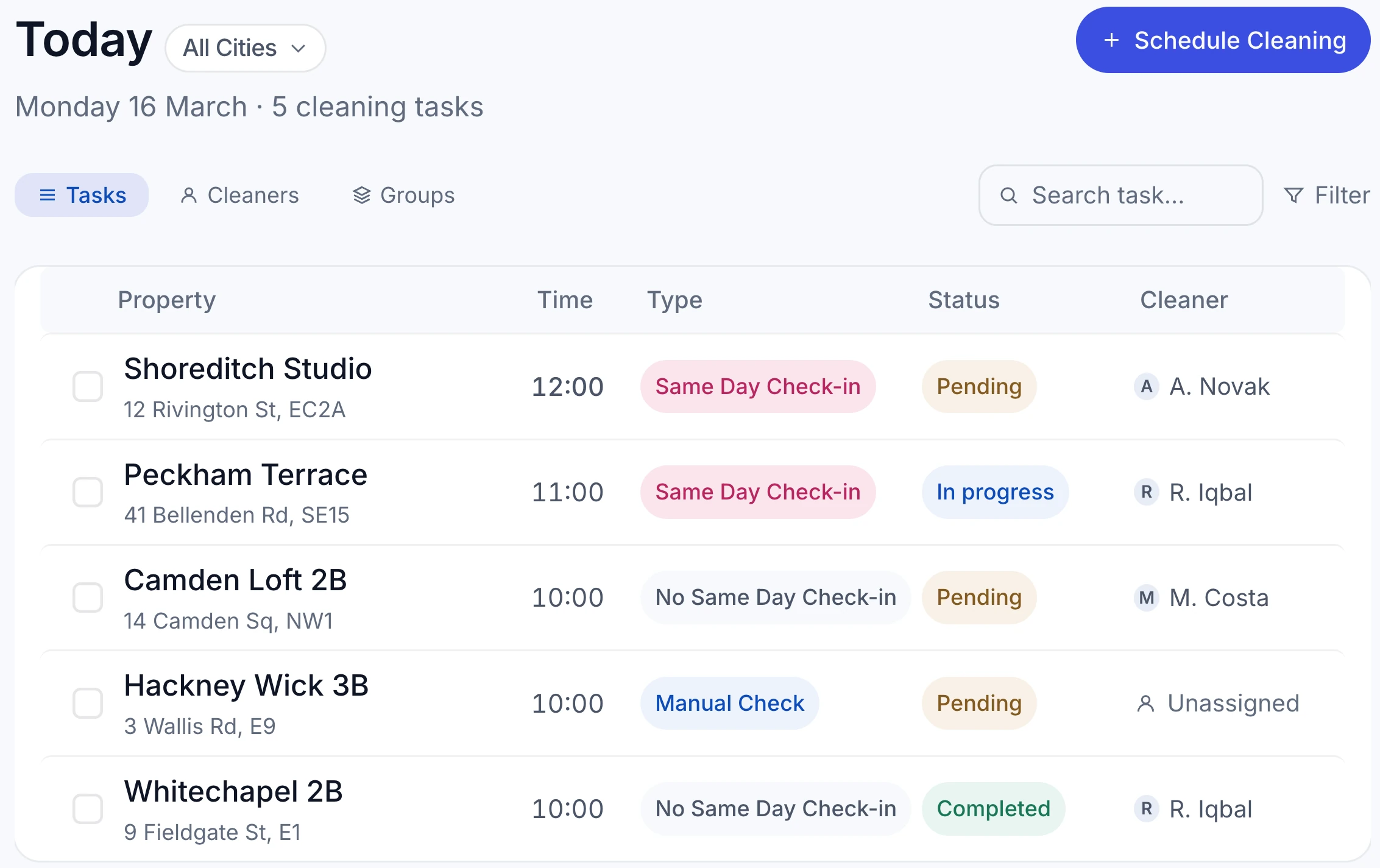
The hard part is the changes, and Base360 sends every one of them to the cleaning team by WhatsApp and email straight away: a new or same-day booking, a cancellation, a shorter stay, an extension or a late checkout. When a guest buys a late checkout, the clean moves with the new checkout time. When a stay is extended, the clean moves to the new checkout day and waits for your team to confirm it, so nobody is sent to a flat with a guest inside.
Your cleaners don’t need an app. Each one gets a private link with their cleans, the access instructions and the checklist, and a checklist step can ask for a photo before it can be ticked. If a cleaner finds a problem, it becomes a maintenance task. Our cleaning management guide covers six cleaning problems in detail.
Pricing: rules for a group of homes
Base360 lets you set pricing rules once for a group of properties, such as every listing in one city. Rules cover seasons, public holidays and events you pick from a catalogue. So a big weekend is priced in one change, not fifteen.
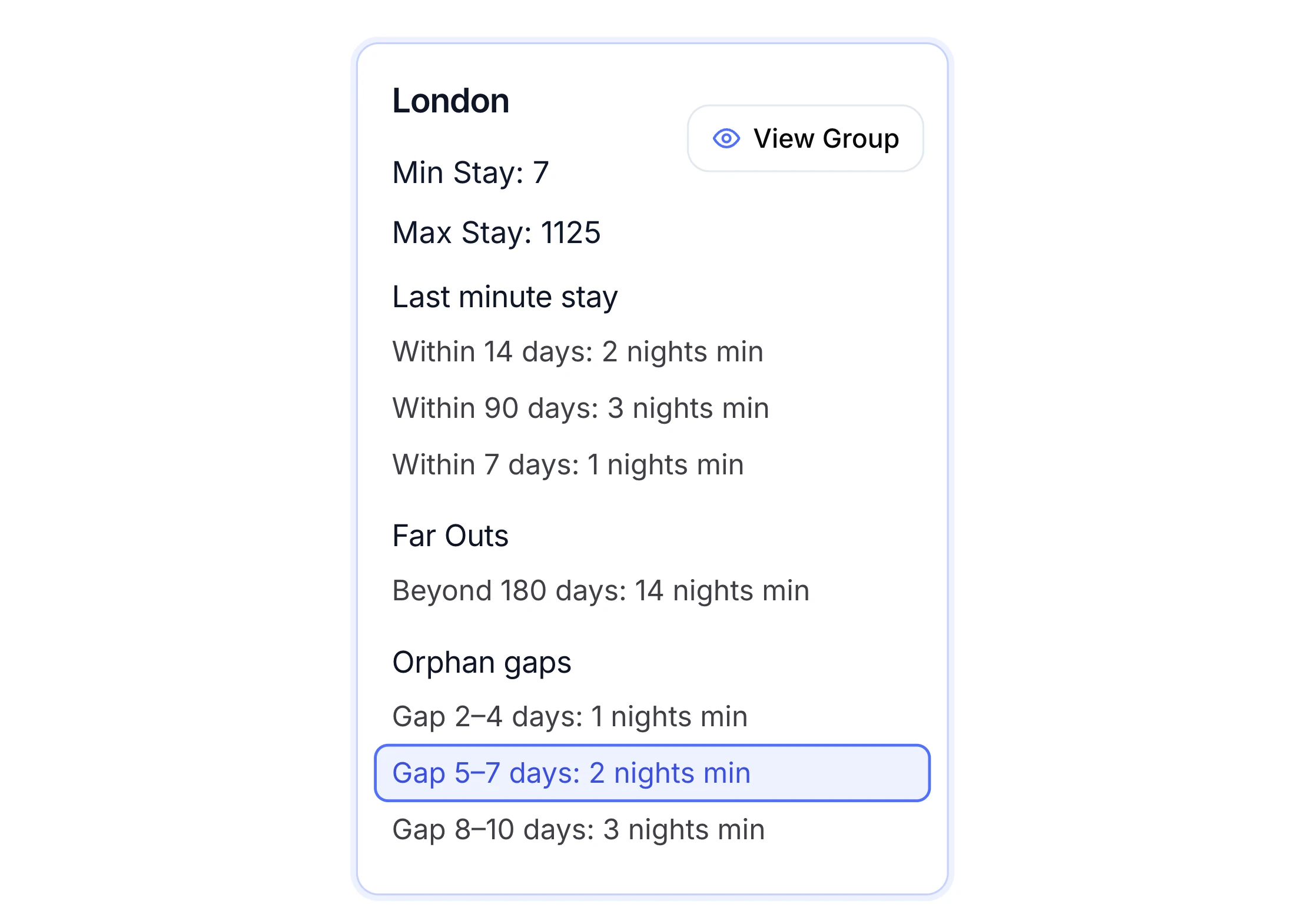
For the daily changes, an AI pricing agent adjusts prices within a 10% daily limit, and bigger moves wait for your approval. You can also connect Claude through MCP, a standard way for AI apps to connect to Base360, and ask for changes in plain words. By default, it asks before it saves a price. Our guide to pricing with Claude shows how. If you already use PriceLabs, you can keep it, and Base360 doesn’t write over the prices PriceLabs sets. See dynamic pricing for the full set of rules.
Check-in: the code waits for the guest
Base360 sends each booking its own online check-in link, where the guest fills in their details, verifies their ID, pays a damage waiver or deposit and accepts your terms. So you stop chasing guests one by one, and you know who is coming before they arrive.
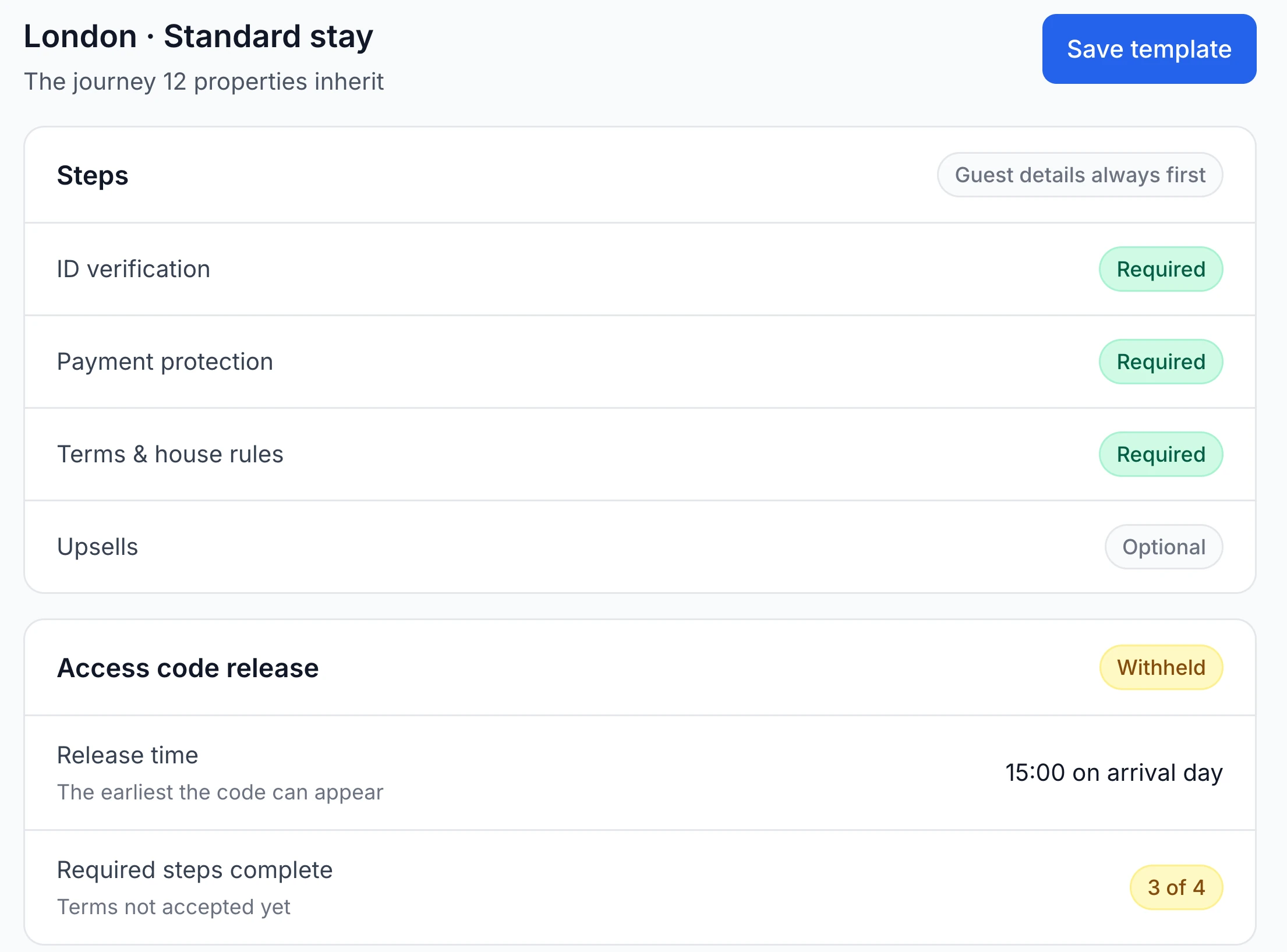
AI checks the ID and selfie, and anything it is unsure about goes to a person on your team. The door code is released only when the required steps are done and the release time you set has come. It works with a lockbox, KeyNest or a smart lock. Our online check-in guide walks through the setup.
Team: access by city, not by listing
Base360 gives access by property group, such as all your Manchester flats, instead of listing by listing. So a new teammate sees the properties and inboxes they look after from day one, with the actions their role allows.
Your team works from the Base360 apps on iOS and Android, while guests and cleaners use links and need no app. The procedures that used to live in one person’s head go into a knowledge base, and the inbox AI uses it for its drafts. So the answer to “where is the spare key?” is the same whoever is on shift.
What else helps as you grow
Once the daily work runs in one place, a few more features start to pay off:
- AI agents for routine work. Each workflow starts when something happens, such as a likely no-show, a cleaning assignment or an early check-in request. Each agent shows its plan before you switch it on. See our AI agent workflows guide.
- Owner statements. If you manage homes for owners, Base360 prepares a line-by-line monthly statement for each one, as a PDF you send.
- Moving a guest. When a property can’t be used, Base360 lists free properties nearby for the same dates, and your team chooses where the guest goes.
- Ratings in one place. Base360 shows each property’s scores on Airbnb, Booking.com, Google and Vrbo, measured against a target score.
- Saved views. Each department keeps its own filtered lists, such as arrivals still missing access details.
Thinking of moving from another system? Switching is free, and our AI agents move your data in one day. Our guide to switching PMS shows how your listings keep their reviews and bookings, and you can book a demo to walk through your own switch in a 30-minute call.
Questions hosts ask about growing
How do you manage multiple Airbnb properties?
Put the work that repeats for every property into one system: guest messages from your connected booking sites, one calendar that sends availability to the channels, cleans planned from checkouts, pricing rules shared by a group of listings, and online check-in that releases the door code when the guest is ready. Then give each person on your team access to the properties they look after. A property management system (PMS) for short-term rentals, such as Base360, does this for Airbnb, Booking.com and your other channels together.
Can I manage multiple Airbnb listings from one Airbnb account?
Yes. Airbnb’s professional hosting tools add a multi-calendar, rule-sets, tasks and insights, and you can add up to 10 co-hosts per listing with full access, calendar and messaging access, or calendar access. These tools cover your Airbnb listings only. Once you also take bookings on Booking.com or direct, or message guests on WhatsApp, you need one system above the channels.
How do I avoid double bookings between Airbnb and Booking.com?
Let one system send availability to every channel you connect. Airbnb updates imported calendar links about every 3 hours, so a booking made in that gap can sell the same night twice. A channel manager connects to the booking sites directly instead. Base360 includes one: ten channels are built in, and more than 130 can be connected on request. No software can promise a double booking will never happen, so check a few listings on the channel after big changes.
Do my cleaners need an app?
Not with Base360. Each cleaner gets one private link with their cleans, the access instructions and the checklist. Every booking change, such as a same-day booking, a cancellation, an extension or a late checkout, reaches the cleaning team by WhatsApp and email straight away.
How many Airbnb properties before I need a PMS?
There is no fixed number, but the signs come early. Properly, a cleaning software company, says hand-run cleaner coordination breaks down at three to five properties. If you are copying bookings between calendars, forwarding guest messages to cleaners or keeping door codes in a note, a PMS will save you more time than it costs to set up.
Is AI worth it at 15 Airbnb properties?
At 15 properties most of the work repeats: the same guest questions, the same reminders, the same cleaning assignments. In Base360, AI drafts or sends routine replies from your house manual and knowledge base, hands over to your team when it is unsure, and runs workflows such as a no-show check or a cleaning assignment. By default, a person stays in charge of anything that costs money or sends someone into a home.
Can I keep PriceLabs?
Yes. PriceLabs connects to Base360 for properties that are connected to a channel, and Base360 doesn’t write over the prices PriceLabs sets. You can also use Base360's own pricing rules and AI pricing agent, or let Claude set prices over MCP, a standard way for AI apps to connect to Base360.
How much does Base360 cost?
Base360 doesn’t publish a price list. We go through pricing for your properties in a 30-minute demo. There is no contract and no setup fee, and moving your properties, bookings and guests over is free.