



How the access code is released
In Base360, the guest sees the door code only when three things are true:
- The ID is approved, if you require an ID check.
- The payment is done, if you require a deposit or damage waiver.
- The release time has come, as set on the portal template.
Until then, the code stays hidden. A code sent by a scheduled message can reach a cancelled booking. The portal checks first.
Saturday, 23:40A demo booking, not a customer case. Alex Morgan lands late and opens the portal. The steps, the lockbox and the code are all there. Nobody on your team sent anything.
Here is the week that got Alex there, one part of the setup at a time.
Keys and access steps on the property
Everything a guest needs to get in lives on the property: the keys, and the way to the door.
Before any bookingWhen Juniper Loft joined Base360, John Doe, who runs operations, set up two lockboxes. One is for guests, one for cleaners. Every guest since has read the same steps.
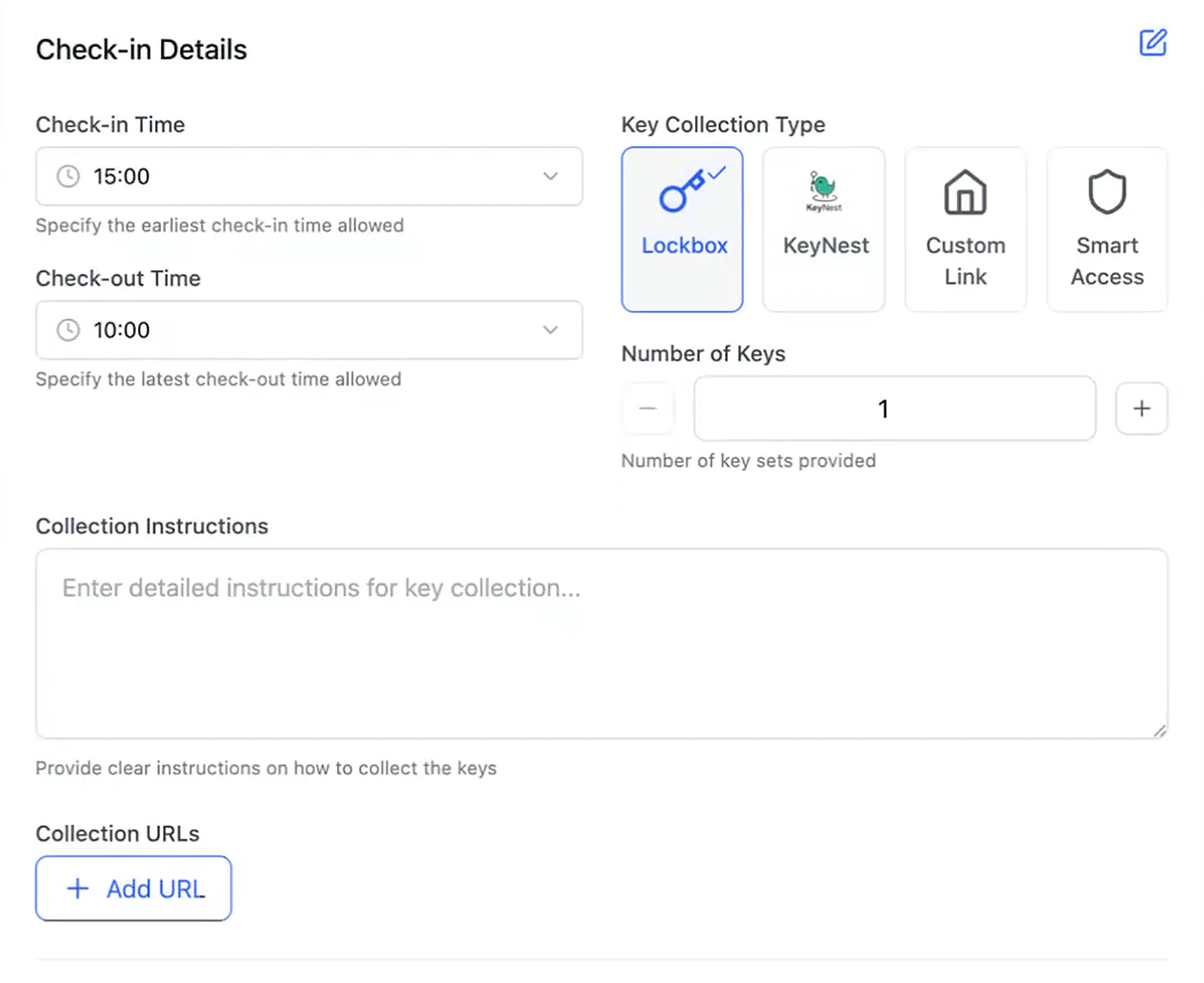
You answer two questions once. First, how do people get in? You can use a lockbox, KeyNest, smart access or an access link such as Xentra. A property can have more than one, so guests and cleaners never share a code. Smart access only opens the doors during the stay.
Second, how do they find the door? Write it as short steps, in the order the guest walks. Then mark the step that shows the code, and preview it all on a phone.
The guest portal template
A portal template is the check-in journey, set up once and shared by as many properties as you like.
Sunday, 14:12Alex books Juniper Loft direct for next Saturday. The portal is ready before anyone opens the booking. The door code stays hidden for now.
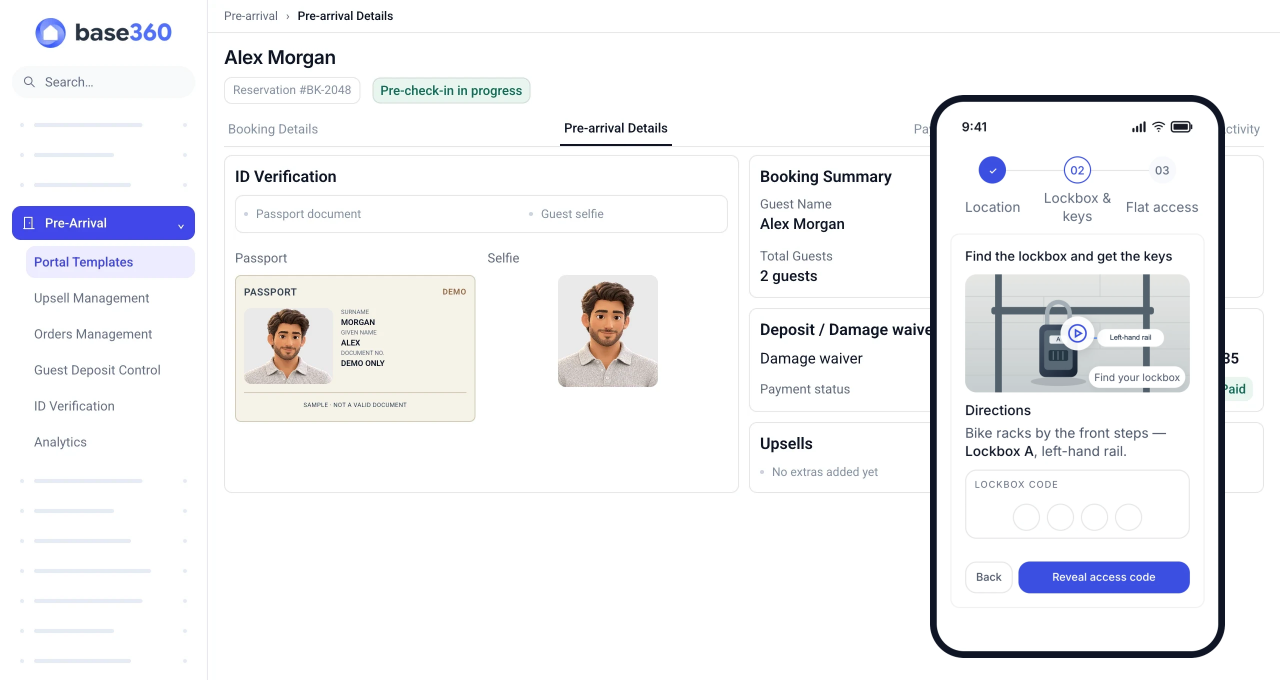
The template sets what every guest must do, and when the code appears. That second setting is the release time: how long before check-in the code shows.
Pick the properties it covers. Base360 warns you if a property has two templates, or none. Need a different journey for some bookings? Add a rule for the booking channel or the length of stay. Change the template once, and every property on it follows. A property with no template gets no guest portal.
TipAsk for a deposit on direct bookings, and skip it on channels that do not allow one.
Required and optional steps
You decide which portal steps a guest must finish, such as Guest Details, ID Verification, Payment Protection and Terms Acceptance.
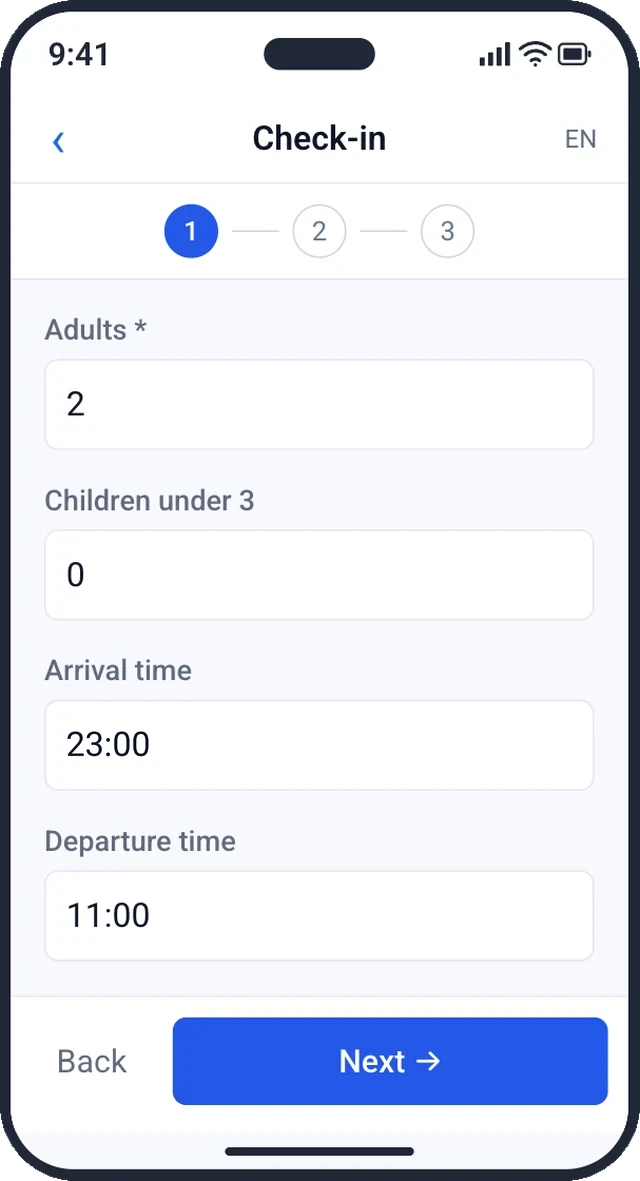
Monday, 08:30On the bus, Alex adds the guest details: two adults, arriving around 23:00. Then Alex accepts the house terms. The late arrival is now on the booking, not lost in a chat.
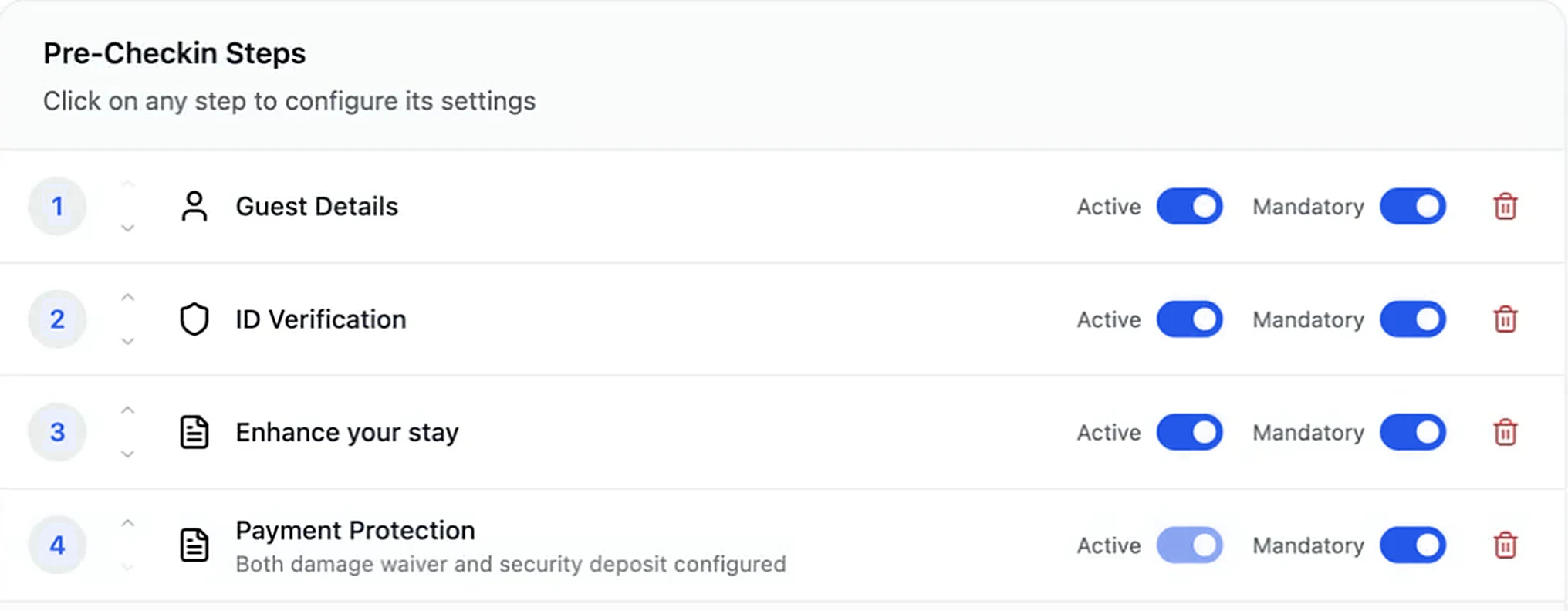
For each step, you choose required or optional. Required steps must be done before check-in is complete. Optional ones can be skipped. Guest details always come first; the rest can be done in any order. You also pick which details to ask for, from name and phone to arrival time. Passports and selfies are personal data, so decide how long you keep them.
TipAsk only for what you use. Returning guests see their details filled in, but still confirm them.
Guest ID verification
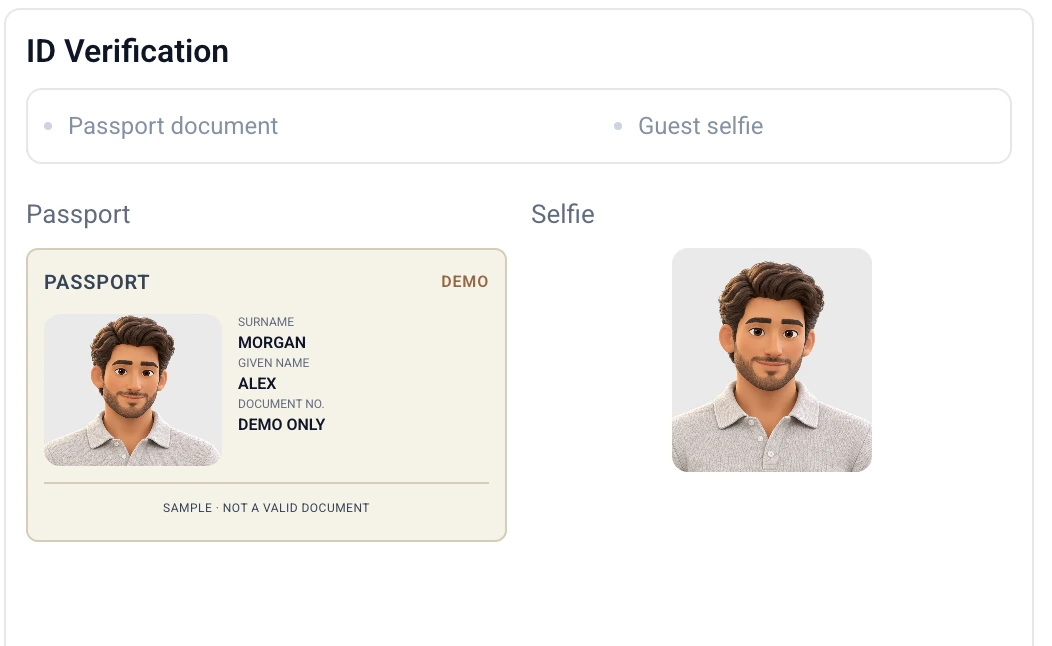
Base360 reads the guest’s passport and selfie with AI. Anything it is unsure about goes to a person on your team.
Tuesday, 18:05Alex opens the portal on a work laptop, scans a QR code and finishes on the phone. Passport photo, then a selfie. The AI is sure about both, so nobody on your team has to look.
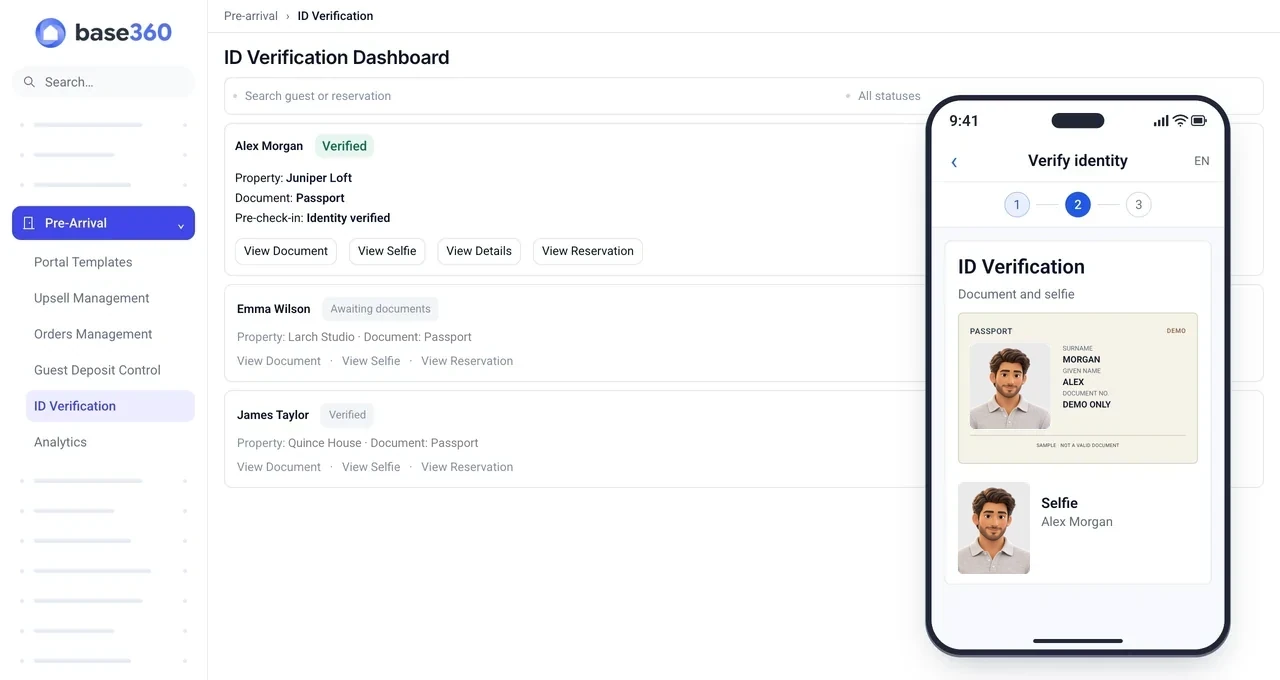
You make two choices. Who checks the ID: AI with a person as back-up, a person only, or nobody? And does the door code wait for that check? If it does, a guest who is not approved never sees the code.
AI helps, but it is not proof that a document is real. Alex booked direct. On Airbnb, check the rules first, as Airbnb runs its own ID checks.
TipTell guests why you ask. “We check ID so the code only reaches the person who booked” is enough.
Security deposit or damage waiver
A security deposit holds money on the guest’s card in case something is damaged. A damage waiver is a fee the guest pays instead. It is not refunded.
Thursday, 20:50Alex can pick a £100 waiver or a £250 hold, and picks the hold. Nothing is left to chase before arrival.
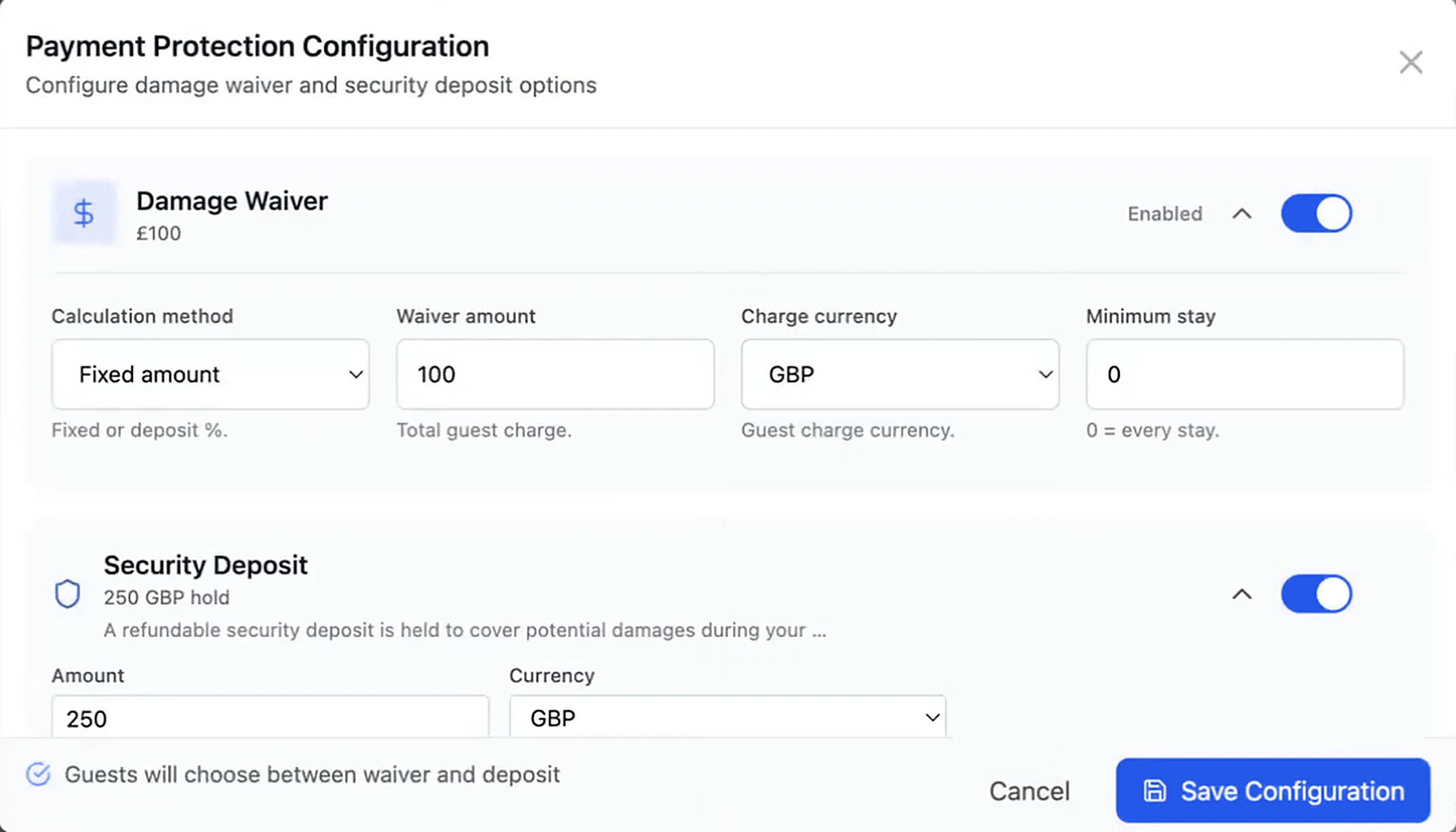
You choose what to offer: a deposit, a waiver or both. If you offer both, the guest picks one. For a deposit, you set the amount and the text the guest reads. For a waiver, you set a fixed price or a share of the stay, with a cap.
If something is damaged, your team can take all or part of the hold. Card holds expire, so check the date on a long stay.
TipShow the guest which amount is charged and which is only held.
Upsells guests buy themselves
Upsells are extras guests buy in the portal once check-in is done, like a late checkout.
Thursday, 21:10Still packing, Alex adds a late checkout for £30. Nobody on your team is asked. It is paid and on the booking.
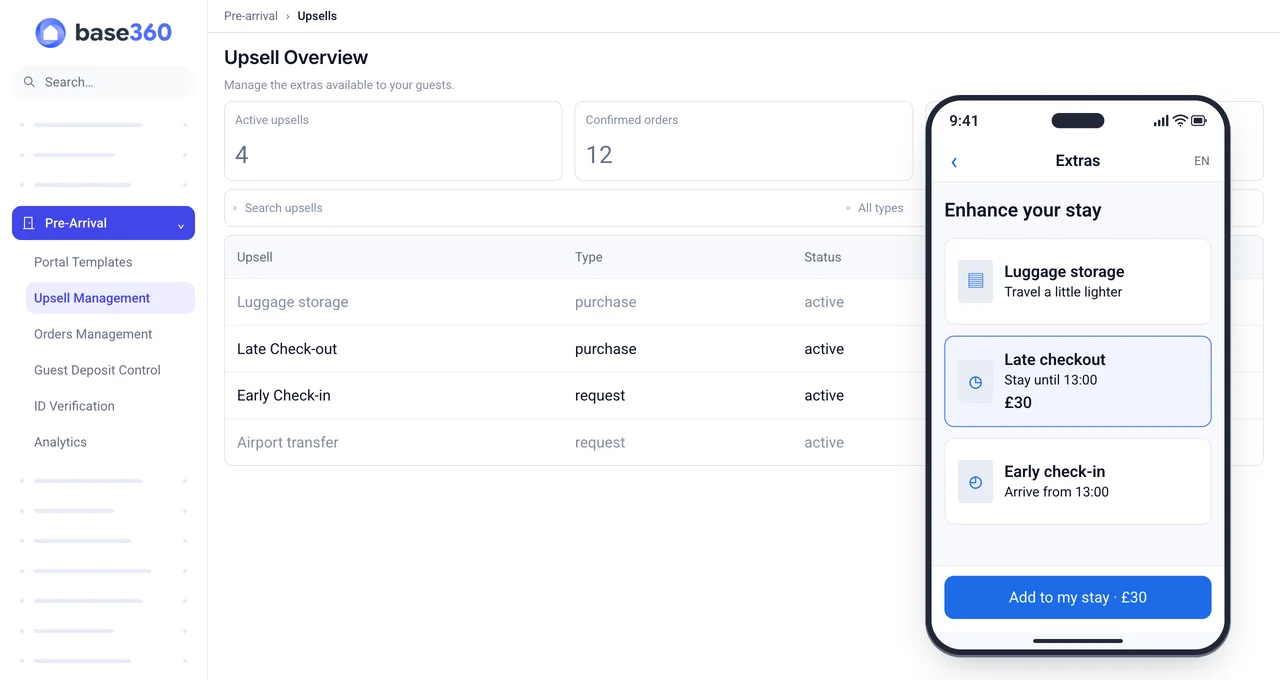
You choose what to sell, and how. Start from a ready-made offer, such as early check-in or luggage storage, or make your own. Then pick the type. A Purchase is paid by card in the portal. A Request waits for your yes.
Set the price, how much notice you need, and which booking channels should never see it. An approved late checkout changes the stay window, and Base360 alerts your team. With an AI workflow connected, it texts the cleaning team the new time on its own.
TipUse Request for anything you have to arrange, like an airport transfer. All the offers are on our pre-arrival and upsells page.
Approving orders and deposits
Two lists hold the decisions your team still makes: Orders Management and Guest Deposit Control.
Saturday, 09:15Before Alex lands, John Doe checks the orders. The late checkout is paid. One early check-in request waits for a yes or no. By 23:40, nothing is left to do.
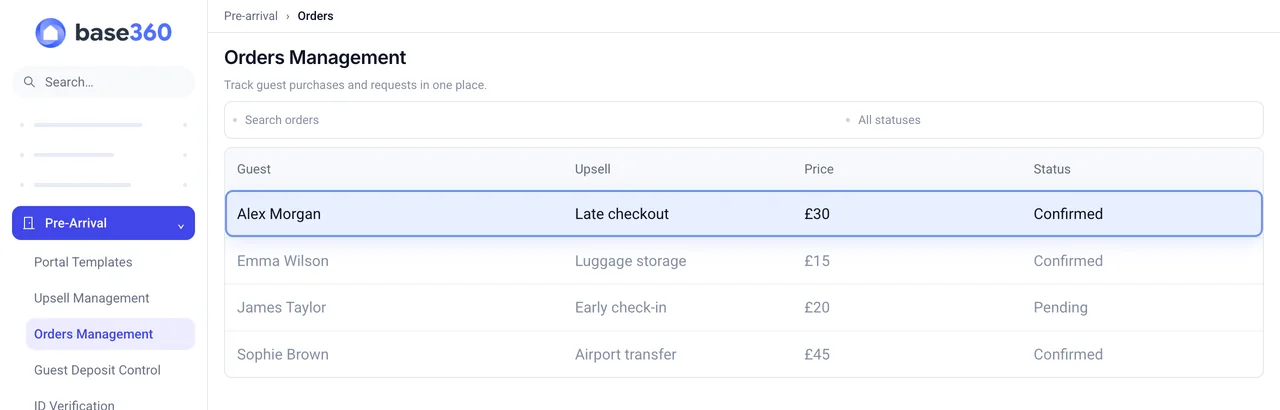
Each order shows the guest, the stay, the extra and the payment in one place. You approve or decline requests one by one, or all at once. Payment and delivery have separate statuses, because they can disagree.
Card holds sit in Guest Deposit Control, with their expiry dates. If a guest asks about any of it, open the booking’s Pre-arrival tab first. The portal link also sits beside the chat in the unified inbox.
Check-in analytics
Analytics shows whether guests finish check-in in time, and what the extras earn.
The Monday afterJohn Doe looks back at the month: who finished late, and which extras sold. Alex finished two days early.
Filter by city and dates. You see how early guests finish, how many finish late, and how long it takes. Next to that sits extras revenue, per booking and per offer. Everything exports to CSV.
Watch one number first: late finishes. If it rises, look for a step that is hard on a phone. Then compare the same properties before and after the change.
The prices and times in this guide are examples, not measured results.
Questions STR operators ask
What is online check-in for a short-term rental?
Online check-in for short-term rentals is the process of completing arrival information before reaching the property, usually through a guest portal linked to a reservation. It can include guest details, identity checks, terms acceptance and a deposit or damage waiver, depending on the property's requirements. In Base360, access-code release also depends on the required approvals, payment state and configured release time.
Is online check-in the same as self check-in?
No. Online check-in handles arrival information and required steps before the stay. Self check-in means entering the property without meeting a host, for example with a lockbox or smart lock. A guest portal can connect the two by showing access instructions when the reservation is ready.
Can a guest get the door code before their ID is approved?
Not if you make identity approval mandatory. In Base360 the access data is protected by three things together: mandatory identity approval, the required payment state, and the release time configured on the portal template. A cancelled reservation is blocked from receiving access information, and an expired portal becomes unavailable.
Is the ID check done by AI or by a person?
You choose: AI-assisted verification, manual verification, or skip verification. With AI assistance, uncertain results fall back to manual review, and your staff see the document and the selfie before approving or rejecting. AI assistance is not proof of authenticity or of regulatory compliance, and it needs an active Base360 verification service with available balance; otherwise the interface indicates manual handling. Airbnb runs its own identity verification and limits when hosts can ask for an ID separately.
What is the difference between a security deposit and a damage waiver?
In Base360, a security deposit places a card authorisation through Stripe: funds are held and can later be captured in full or in part, or released if not captured. Holds expire, and extensions depend on eligibility. A damage waiver is a non-refundable fee collected as a charge. If both options are offered, the guest chooses one and completes its payment requirement to satisfy the protection step. A paid status in the PMS is not proof that the bank settled or that a refund landed; check the payment provider when the amount matters.
Can we switch the deposit off for Airbnb or Booking.com bookings?
Yes. Template conditions support including or excluding a booking source, and a minimum or maximum stay. Upsell offers carry their own booking-source exclusions, so an extra can be offered on direct bookings and hidden on a channel that does not allow it.
Which key handover methods are supported?
Lockbox, KeyNest, native smart access, and Xentra or another configured access link. Native smart access can expose building or apartment door controls only within the allowed stay window, and an approved early check-in or late checkout can adjust that window.
Does selling a late checkout move the cleaning?
Yes. The stay window moves, and Base360 tells your team: a checkout time change can send an e-mail or SMS alert to the teammates you choose. With an AI workflow connected, Base360 texts the cleaning team the new time on its own. Without one, someone on your team confirms the new cleaning time.
What guest data should we collect before arrival?
Only what you use. Names, addresses, passports and selfies are personal data: decide why you collect each one, how long you keep it and who on your team can see it, and say so in the terms the guest accepts. Guest registration rules differ by country, so check the ones that apply to your properties.
Do long-let bookings get a guest portal?
No. Long-let reservations are excluded from the pre-arrival journey. A property also needs an assigned property template, or an eligible city template, before any of its reservations can use the portal.