
Pre-arrival & Smart Access
Guest check-in, on AI autopilot.
Every booking gets its own check-in link. The guest fills in their details, uploads their ID for AI to verify against a selfie, pays a waiver or deposit, and adds extras. Smart access opens only once they finish the steps you chose.

Made by The Flex, a rental company.
Our own guests use it.
What is pre-arrival?
One link that takes the guest from booking to the door.
Pre-arrival is everything between the booking and the guest walking in. Base360 sends the guest one link: the guest does your checks in it before arriving, and at the end gets the door code. It works in three parts.
- 1What your guest doesBefore arrivalOne link does the check-in: guest details, ID and selfie, a waiver or deposit, and extras.
- 2What your guest doesOn arrival dayYour guest finds the apartment, collects the keys and gets in. The house manual and extra nights are in the same link.
- 3What you doYour sideYou set the steps once, review the IDs AI isn’t sure about, and invite past guests to book direct.
Your guestPart 1 of 3
Before the guest arrives.
1The guest link
The guest gets
their own link.Right after booking, your guest gets their own link by email or message. It opens on their phone. There is no app to download.
Operator sideEach link uses the settings of its property: which steps are needed, and what time the arrival details open.
2Check-in details
The guest fills in
their details.Your guest enters their name, email, phone number and arrival time. Returning guests find them already filled in.
Operator sideYou get their real email, not the hidden one the booking site gives you. The guest is saved as a contact, with their permission for each way you can message them.
3ID verification
The guest uploads
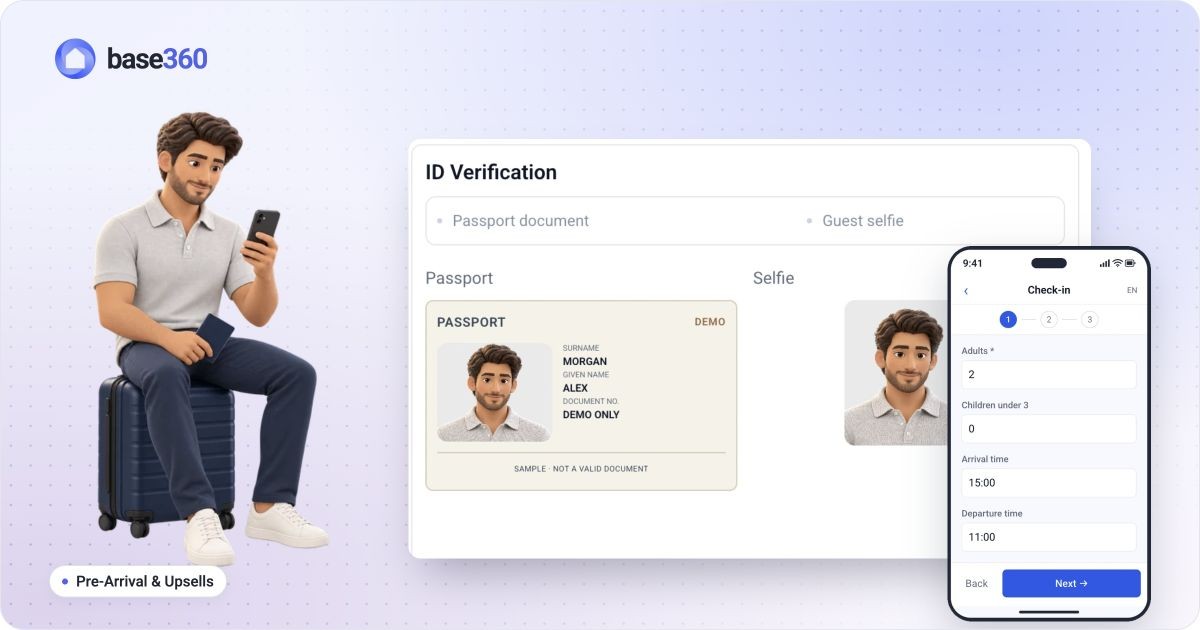
their ID and a selfie.Your guest takes a photo of their ID and a selfie with their phone camera. On a computer, a QR code moves this step to the phone. AI checks the two faces match.
Operator sideIf the system is not sure, the ID goes to your team. A person approves or rejects it.
4Damage waiver or deposit
The guest pays a waiver
or a deposit.Your guest chooses a damage waiver, a small one-time fee, or a deposit held on their card. They pay by card before they arrive.
Operator sideYou keep the waiver. The deposit is only held: after checkout you give it back, or keep some or all of it.

5Upsells
The guest buys extras
before arriving.Your guest sees extras like early check-in, late checkout, parking or an airport ride, and pays for them in the link.
Operator sideGuests pay by card through Stripe. Requests go to one list where you say yes or no. If you say yes to a late checkout, the checkout time changes too.
Your guestPart 2 of 3
On
arrival day.
6Arrival instructions
The guest receives
the arrival details.On the day, your guest gets a message: their arrival details are ready. They open at the time you set, and only once the required steps are done.
Operator sideYou choose when the arrival details open, for example at 15:00 on the day. Before that time, or if a required step is missing, Alex cannot see the code. You set this once, not for every guest.
7Location
The guest finds
the apartment.The link shows the address and a map with a pin on the building.
Operator sideYou do not type the address for each guest. It comes from the apartment's details you saved in Base360.
8Keys
The guest gets
the keys.A photo shows where the key box is. Your guest taps to reveal the code and takes the keys.
Operator sideYou set up the keys once for each apartment. You do not send the code to each guest by hand.
- Lockbox
- KeyNest
- Smart lock
- Xentra
9Enter the property
The guest opens
the door.The link tells your guest which door, which floor and which lock their key opens.
Operator sideIf the door has a smart lock, Alex opens it with a button in his link instead of a key. The button only works during his stay, and earlier if you approve an early check-in.
10House manual
The guest reads
the house manual.Wi-Fi, heating, parking, appliances and the local area, all in the house manual inside the link.
Operator sideYou write the manual once for each apartment, in its property details. Base360 shows you which apartments still have no manual.
11Extend the stay
The guest asks
for another night.Your guest picks extra nights, sees the price and sends a request from the link.
Operator sideThe request comes to you. You check the dates and say yes or no. Alex pays nothing until the dates and the price are confirmed.
YouPart 3 of 3
What you do
in your dashboard.
Watch the full setup12 min
1Portal template
Choose the steps once,
for every guest link.Pick the steps every guest link has, mark each one required or optional, and set when the arrival details open. Once per city or property.
2ID review
The system flags it,
you decide.If the system cannot confirm an ID, it goes to a list for your team. You see the ID and the selfie next to each other. A person approves or rejects it.
3After the stay: a contact
The guest becomes
your contact.The email and phone number the guest typed in are saved as your contact, with all their past stays. A booking alone does not sign anyone up for marketing.
4A segment
Group your guests
with simple rules.A segment is a group of guests picked by rules, like last stay, city or where they booked. It updates by itself when guests match.
5E-mail, WhatsApp or SMS
Invite them back
to book direct.Send an offer to book direct by email, WhatsApp or SMS. It only goes to guests in the group who said yes to messages. Each campaign shows the bookings it brought in.
FAQ
Common questions.
What does the guest see?
One link for their booking, on their phone. No app. In it they fill in their details, upload their ID, pay a waiver or deposit and can buy extras. On arrival day, the same link shows them how to get in. You choose which steps are needed.
Does a booking subscribe the guest to marketing?
No. The guest must tick a separate box in the link to get messages. They choose email, WhatsApp and SMS one by one. Campaigns only go to guests who ticked it.
What happens if the ID can't be verified?
It goes to a list for your team, with the ID and the selfie side by side. A person approves or rejects it. The door code stays hidden until they do.
What's the difference between a waiver and a deposit?
A waiver is a small fee you keep. A deposit is money held on the guest’s card. After checkout you give it back, or keep some or all of it. You can offer both and let the guest pick.
When is the access code released?
When the guest has done every step you made required, and the time you set has come. If ID is required, the ID must be approved. If a waiver or deposit is required, it must be paid or held. Optional steps never block the code.
Which locks does it work with?
Lockboxes, KeyNest, smart locks and Xentra. A smart lock code only works on the days of the stay.
Can I hide an upsell from one channel?
Yes. You can hide an extra from bookings that come from a certain booking site. You can also turn extras on for one property or a whole city.
Read next
-
 Pre-arrival guide How to set up online check-in for short-term rentals
-
-
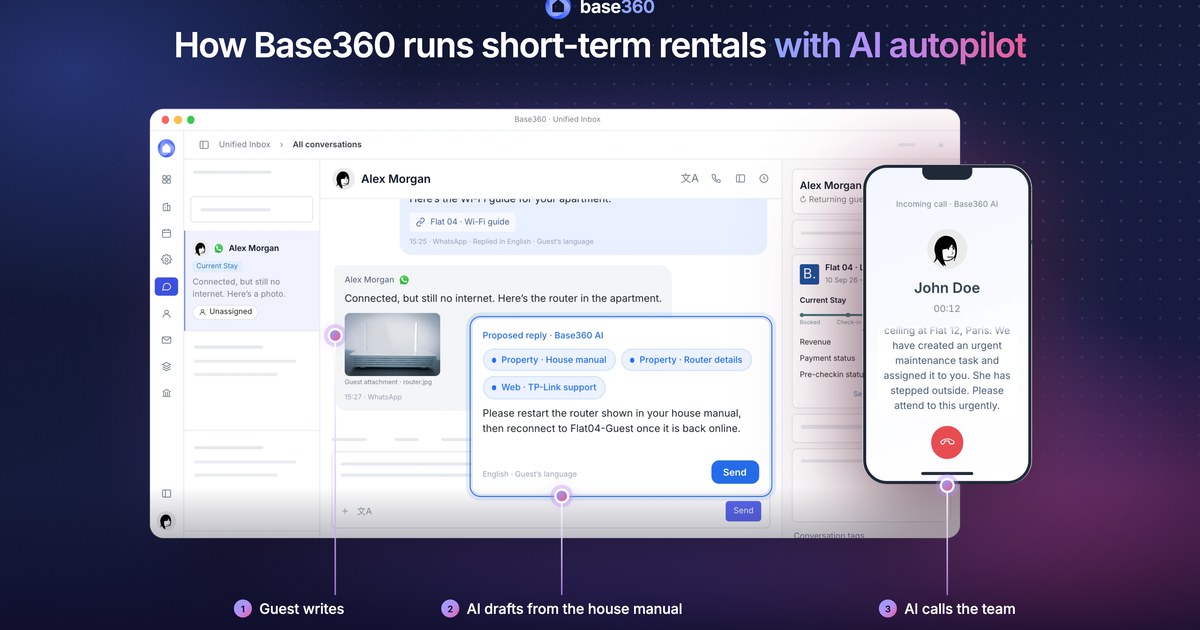
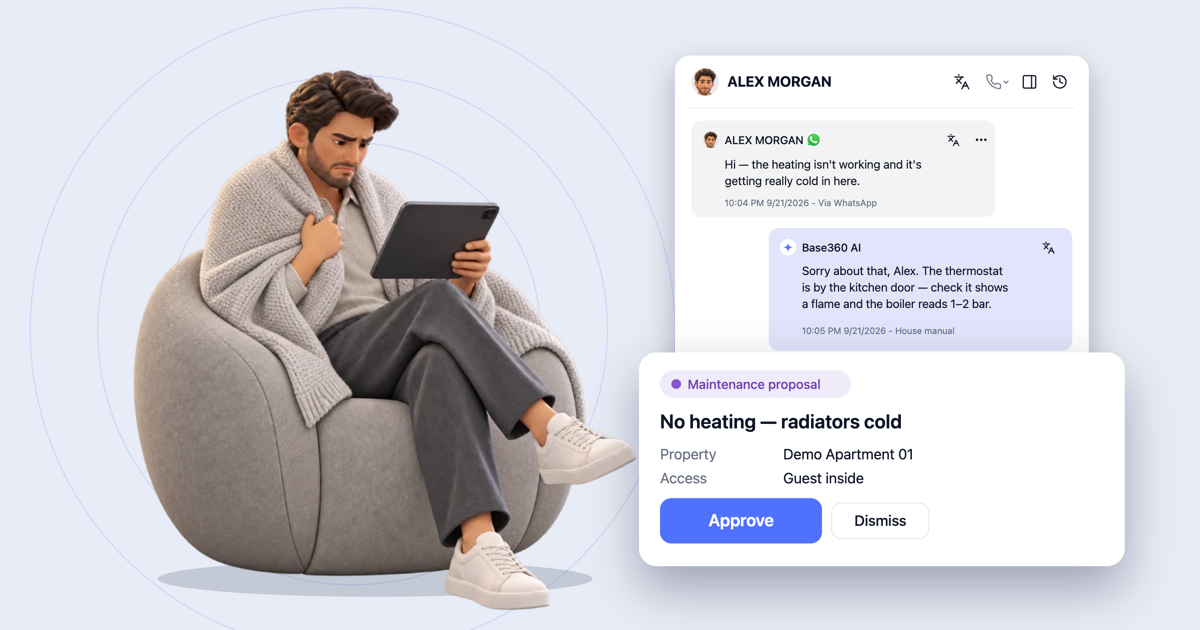 AI operations guide AI-powered guest support and operation flow: who does what
-
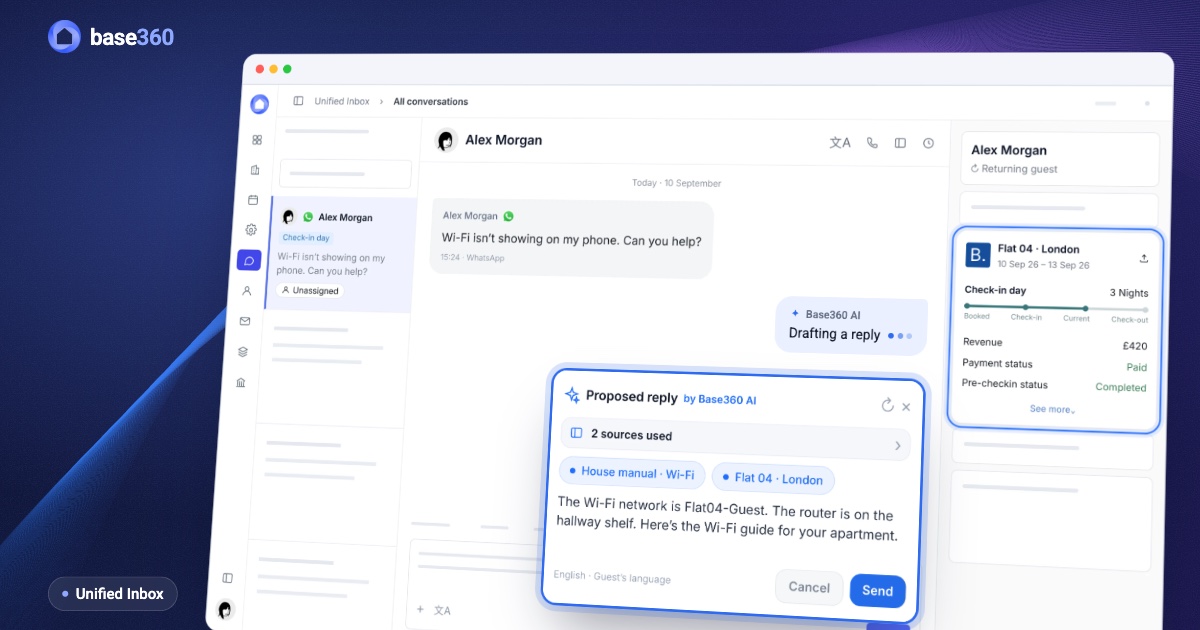 Guest communication guide What a unified inbox for short-term rentals should actually do
Let’s talk about
your rental business.
Send us your questions or ideas, and we’ll get back to you soon.