
Unified Inbox for Short-Term Rentals
Guest messages, on AI autopilot.
Every message from Airbnb, Booking.com, WhatsApp, email and SMS lands in one inbox. AI answers from your house manual, in the guest’s language, and calls your team when it’s urgent.

Made by The Flex, a rental company.
Our own team answers guests in it.
What is a unified inbox?
Every guest conversation in one place.
Messages from Airbnb, Booking.com, WhatsApp, email, SMS and phone calls arrive in one list. Each one opens next to the guest’s booking, and AI writes the reply.
- 1Part 1A questionAI answers guest questions from your house manual, in the guest’s language, on its own or as a draft for your team.
- 2Part 2An emergencyAI spots what needs a person, hands it to your manager, answers calls nobody picks up and suggests the task.
- 3Part 3Your teamTeam inboxes, filters, bulk actions, message templates and reports.
A questionPart 1 of 3
A guest asks for help.
1Inbox
Every message lands
in one list.Base360 brings WhatsApp, Airbnb, Booking.com, email, SMS and phone calls into one list, so your team stops switching between apps. AI can answer each message the moment it arrives.
Operator sideConnect each channel once. A guest writing on two channels stays in one conversation.
2The guest
See the guest
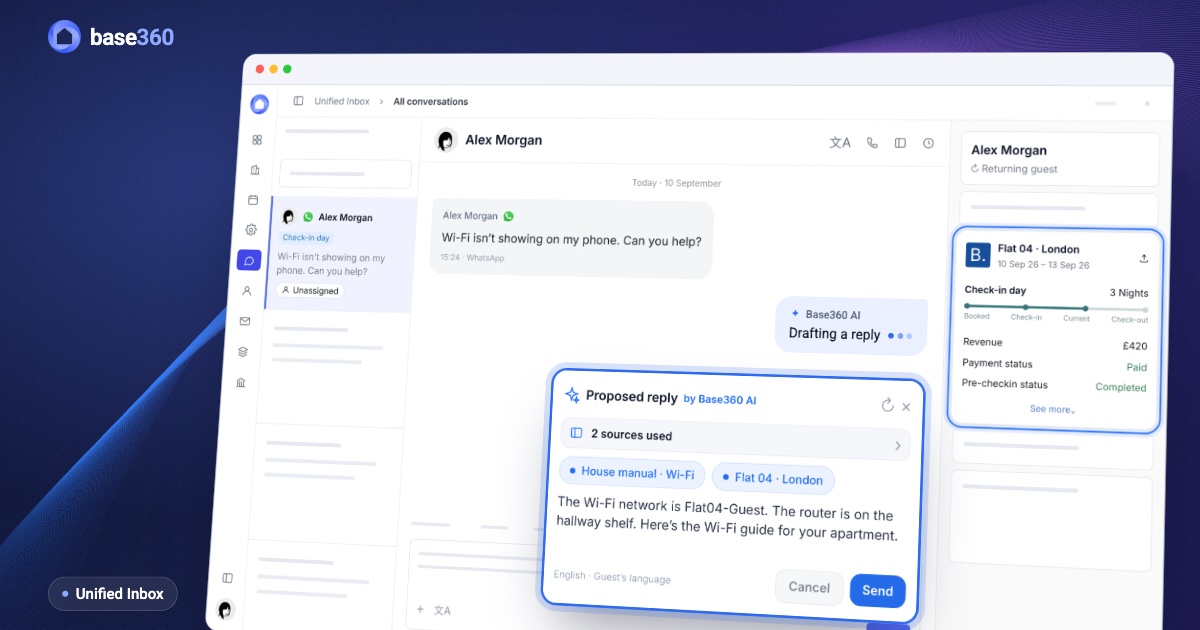
and the booking.Every conversation opens next to the guest’s booking and history: new or returning guest, lifetime spend, the property, the dates, the payment and the check-in status. AI and your team answer with the full picture.
Operator sideNobody copies the booking by hand. If the dates change or the booking is cancelled, this panel updates.
3AI reply
AI answers from
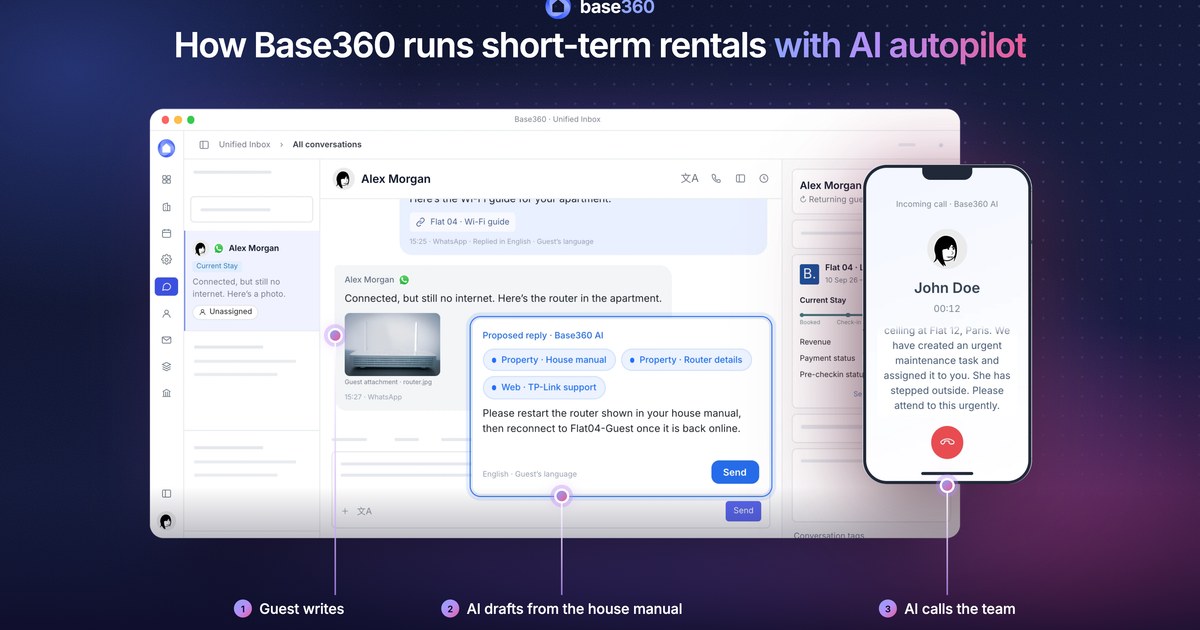
the manual or online.AI answers guest questions from the property’s house manual and your knowledge base. When the answer isn’t there, AI looks it up online, such as the guide for the exact device in the flat, and lists every source.
Operator sideAdd each device’s model to the manual. AI searches for that model, never at random.
4Any language
Every guest reads it
in their language.AI replies in the language the guest writes in, so every guest gets an answer they can read. Your team can translate any message into their own language in one click.
Operator sideTranslate one message or a whole conversation into any of eight languages.
5You decide
AI answers on its own,
or you press Send.You choose how much AI does on its own. On auto-reply, AI answers guests directly. On drafts, AI prepares every reply and a person sends it. When AI isn’t sure, it never guesses: it leaves a draft for your team.
Operator sideSet the mode for each inbox: auto-reply, drafts only or AI off.
6Summary
AI knows the guest’s
whole story.AI keeps a short summary beside every conversation. Anyone who opens it, on any shift, knows what has happened and what the guest needs, and the guest never has to explain twice.
Operator sideThe summary updates as the conversation goes on, and anyone can regenerate it.
7Automated
Stay messages,
sent automatically.Check-in details, check-out reminders and other stay messages go out automatically, in the guest’s language. They land in the same conversation, so your team sees everything the guest has received.
Operator sideIf the guest writes back, the reply arrives in that same conversation.
An emergencyPart 2 of 3
When it can’t wait.
8Urgent
It’s urgent.
AI steps back.When a message needs a person, such as an emergency or a complaint, AI tags it Urgent, stops replying and assigns it to the manager on duty. The right person sees it first.
Operator sideDescribe what counts as urgent in plain words, as you’d brief a new teammate. When a tag is set to escalate, AI stops replying.
9Workflows
AI phones
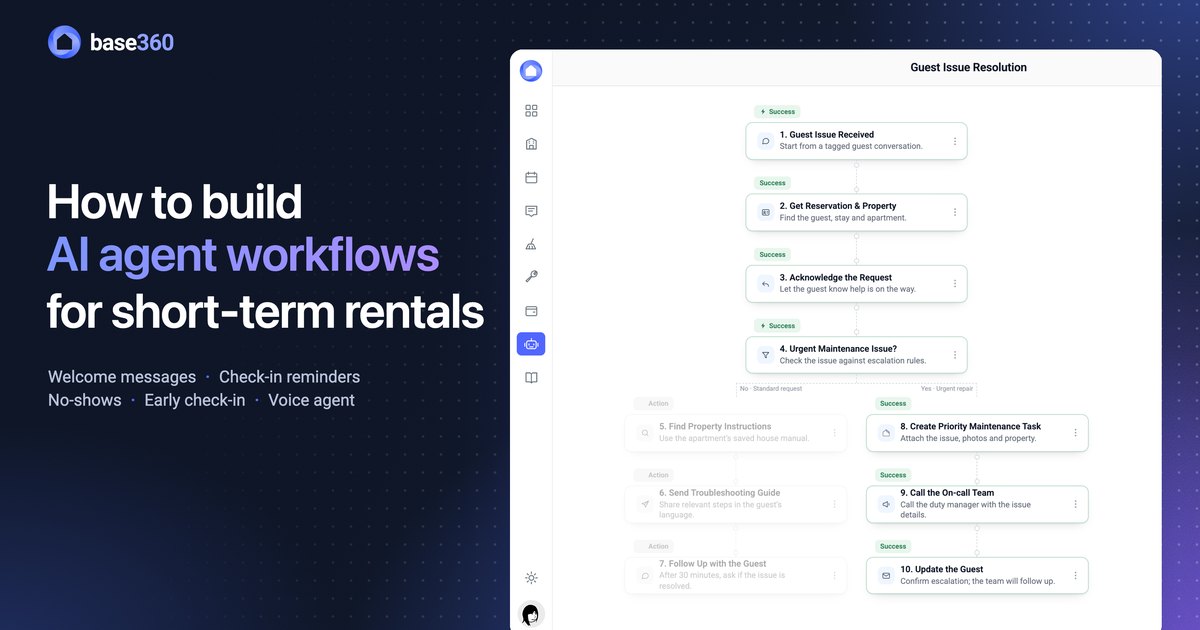
the manager on duty.For urgent conversations, AI can phone the manager on duty and tell them a short summary. They know what happened and what to do before they open the inbox.
Operator sideYou build this workflow once: which tag starts it, who gets the call and what AI says.
10Calls
Call the guest
from the chat.Your team calls guests from the browser, straight from their conversation. After every call, AI adds a summary, the recording and a transcript to the same conversation.
Operator sideCalls use your own phone number and ring in the browser, so nobody needs a desk phone.
11AI answers
If nobody picks up,
AI answers the call.When a guest calls and nobody on your team can answer, AI picks up and handles the call like an operator. It tells the guest what is being done and what to do next, then logs the call in their conversation.
Operator sideYou choose who rings first: everyone at once, one after another, or the owner first.
12Tasks
AI suggests a task,
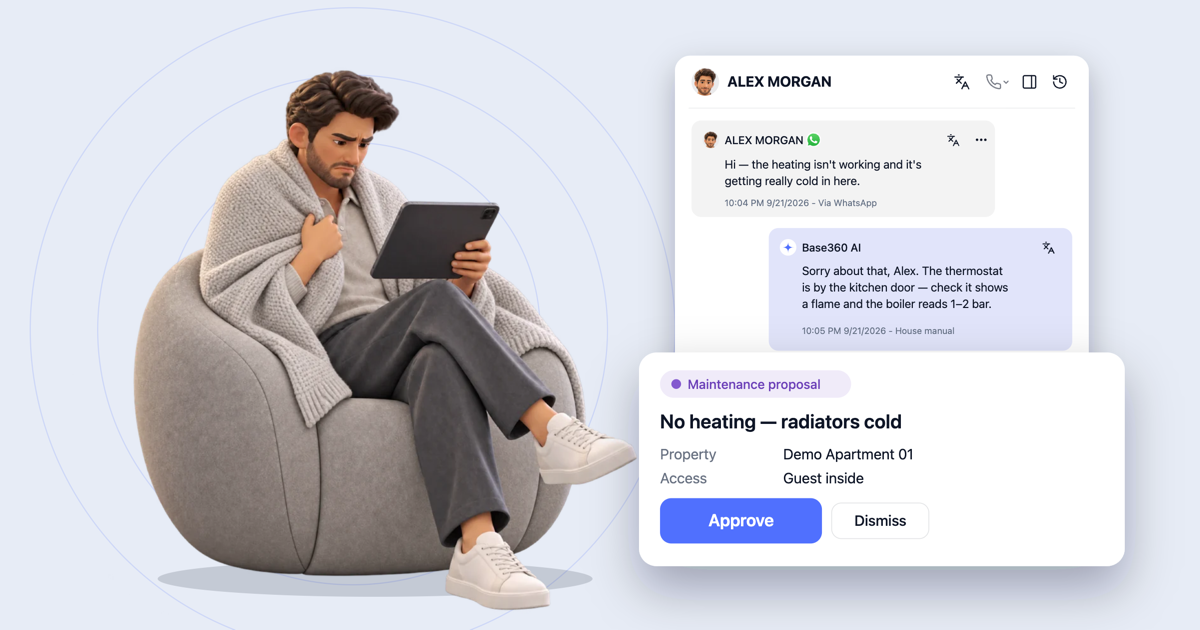
you approve it.AI reads the conversation, understands what needs fixing or cleaning and suggests a maintenance or cleaning task, already filled in. Once a person approves it, the task goes straight to the right team.
Operator sideAI never creates a task on its own. A person checks the property and the details first.
13Notes
Notes only
your team sees.Private notes sit inside the conversation, visible to your team and never sent to the guest. Use them to hand over context, or mention a teammate to bring them in.
Operator sideSnooze a conversation until later, or close it when it’s done.
Your teamPart 3 of 3
The rest of the day.
14Inboxes
Every team gets
its own inbox.Split the inbox by city, owner or group of properties, so each team sees only its own guests. You can also build an inbox from a tag, such as one for everything AI tagged Urgent.
Operator sideChoose who can open each inbox.
15Filters
Filter, then act
on many at once.Filter conversations by stay stage, channel, tag or assignee, then select them and assign or close them all at once, instead of opening them one by one.
Operator sideReservation status, booking source and property group are filters too.
16Templates
Write it once,
Meta approves it.Write WhatsApp templates in the inbox and submit them to Meta for approval without leaving Base360. After 24 hours of silence, WhatsApp only lets you message a guest with an approved template.
Operator sideStart a new email or SMS the same way.
17Reports
Every call and reply,
counted.Call Logs lists every call, answered or missed, with its sentiment. Analytics shows how many messages AI answered on its own and why it handed the rest over, and AI sits in the team table like any teammate.
Operator sideFilter by channel and by period, from the last 7 days to 6 months.
FAQ
Common questions.
What is a unified inbox for short-term rentals?
A unified inbox brings every guest conversation into one place: Airbnb and Booking.com messages, WhatsApp, email, SMS and phone calls. Base360 runs it on AI autopilot: AI answers guests in their language, next to their booking, and picks up calls your team misses.
Which channels come into the Base360 inbox?
Email from Gmail, Outlook or your own domain, SMS, WhatsApp, booking-site messages through Channex, Instagram and Messenger messages, and phone calls. Instagram and Messenger are for replying to guests who wrote to you first. Each channel is connected once, with its own account.
Does AI reply to guests on its own?
Only if you want it to. Each inbox has three modes: auto-reply, drafts for a person to send, or AI off. On auto-reply, AI still leaves a draft when it isn’t sure. When a message is urgent, AI stops replying and hands the conversation to your team.
What does AI use to write its answers?
The conversation so far, the guest’s booking, your house manuals and your knowledge base. When the answer isn’t there, it looks it up online. For questions about dates, prices, minimum stays or extending a stay, it also checks live availability and rates. Every answer shows the sources it came from.
Can AI answer phone calls?
Yes. When a guest calls and nobody on your team picks up, AI answers, speaks with the guest and adds the call to their conversation. Calls your team makes from the inbox get an AI summary, the recording and a transcript.
How do calls work?
With a Twilio phone number, your team makes and takes calls in the browser. Call Groups decide who rings first: the whole team at once, one person after another or the property’s owner first, with a phone menu and a backup number.
Can AI create maintenance or cleaning tasks?
AI suggests them. When a conversation shows that something needs fixing or cleaning, AI prepares the task with the details filled in. A person approves it before it reaches the team; AI never creates a task on its own.
Can I message a guest on WhatsApp at any time?
Within 24 hours of the guest’s last message, you can write freely. After that, WhatsApp needs an approved template to start the conversation again. You write templates in the inbox and submit them to Meta from there.
Can several people work in the same inbox?
Yes. Each person has My conversations for what is assigned to them, and All conversations for everything they can see. You can make inboxes for a city, an owner or a tag, assign or close many conversations at once, and mention a teammate in a private note.
Can I see how much AI handles?
Yes. Analytics shows the share of messages AI handled, why it handed the others to your team, and messages sent by your team versus AI. Agents Performance shows each person’s response times, messages, calls and resolutions. AI has its own row there, like any teammate.
Read next
-
 Guest communication guide What a unified inbox for short-term rentals should actually do
 -
 AI operations guide AI-powered guest support and operation flow: who does what
 -
 AI workflows guide How to build AI agent workflows for short-term rentals
 -
Let’s talk about
your rental business.
Send us your questions or ideas, and we’ll get back to you soon.