

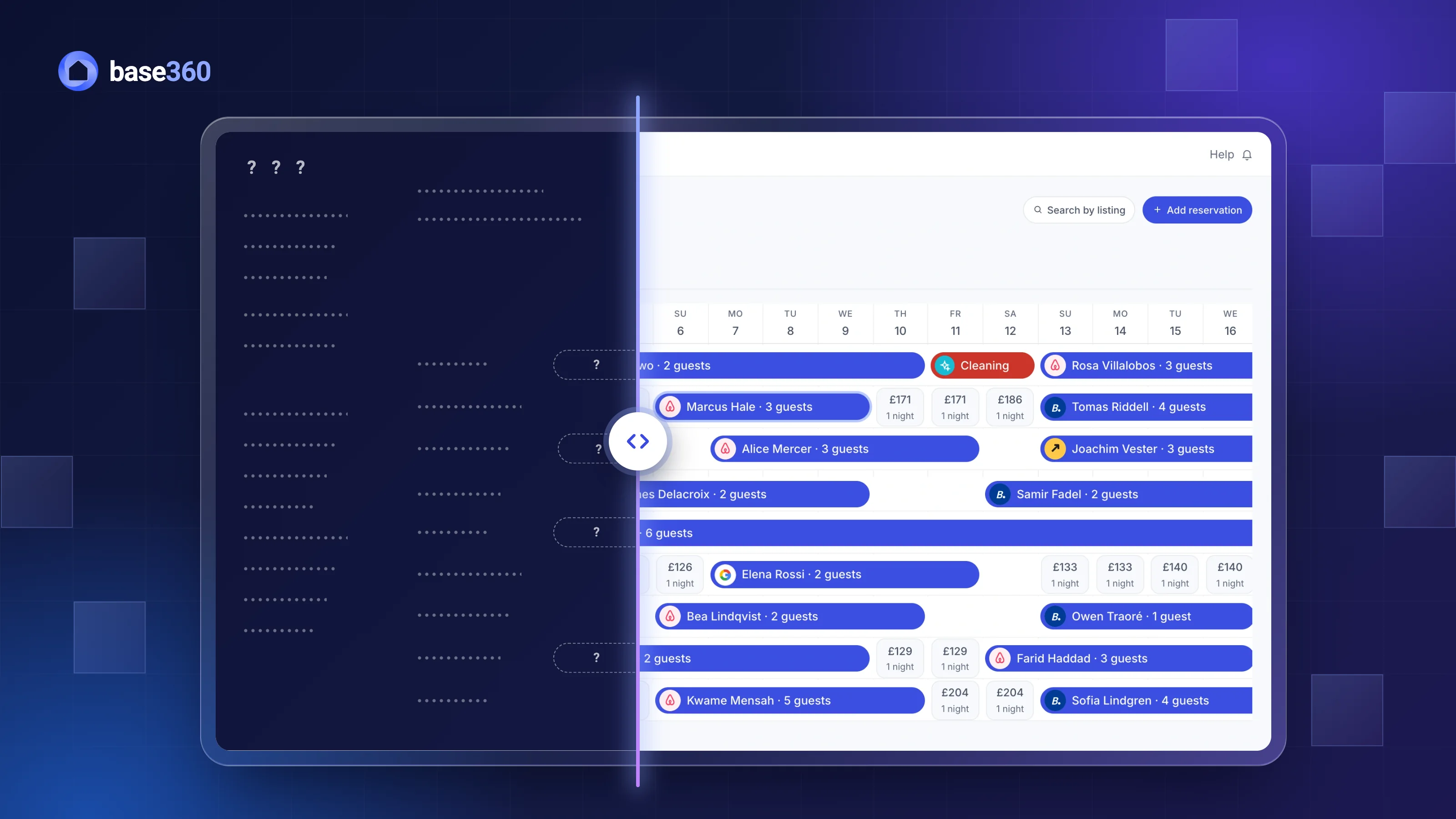
Sound familiar?
Most operators who want to switch PMS or vacation rental software have already put it off at least once. The new system isn’t the problem. The problem is that your listings are live while you move. If you have thought about switching, you have probably worried about all six of these:
- Your listings lose their reviews. You picture rebuilding 45 listings in a new system, and each one starting again at zero reviews.
- The same night is sold twice. For an hour both systems think they are in charge, and two guests book the same flat.
- A booking goes missing. A guest who booked in July turns up in October, and the new calendar has never heard of them.
- Your team spends a week typing. Addresses, guests and bookings, copied by hand from one screen to another.
- A channel takes longer than planned. Booking.com asks for an approval, another channel needs a different login, and half your listings are stuck in between.
- Your prices break. The rates you spent years tuning stop reaching the channels, or two systems start setting the same night.
Almost all of these come from one gap: the moment a listing passes from the old system to the new one.
Switching to Base360, problem by problem
Base360 is built so you can switch while your listings keep working. Our team moves your data for free and connects your channels with you, and your listings keep their reviews and their bookings. Here is what that looks like for each of the six:
- Reviews: sign in with your Airbnb account and your listings come in as properties in minutes, with their upcoming bookings and their reviews untouched.
- Double bookings: each channel moves over in its own planned handover, so only one system is in charge of a listing at a time. After that, one calendar sends your availability to your connected channels, with cleaning and maintenance blocks on it too.
- Bookings: future bookings from Airbnb, Booking.com and Expedia land on one calendar, each on the right property, and any channel can be fetched again if one is missing.
- Your data: our team moves your properties, guests and bookings for free, direct bookings included. Nobody on your team retypes anything.
- Channels: we connect them with you, channel by channel, and one screen shows any listing that isn’t live yet, so you can see any listing that is still in between. Ten channels are built in, and more than 130 can be connected on request.
- Pricing: Claude can manage your prices through our MCP connection and, by default, asks before it changes one. Approved prices are sent to your channels from Base360, so one system sets each night. If you already use PriceLabs, you can keep it: it connects to Base360 too.
The sections below show how each one works.
Reviews: connect, don’t rebuild
A review belongs to the listing on Airbnb, not to the software that manages it. So you don’t create your listings again in Base360. You sign in with the Airbnb account you already have, and its listings come in as properties, each with its upcoming bookings. Airbnb’s Help Centre gives the same advice: connect your existing listings “to keep existing content and reviews, and to avoid creating duplicates”.
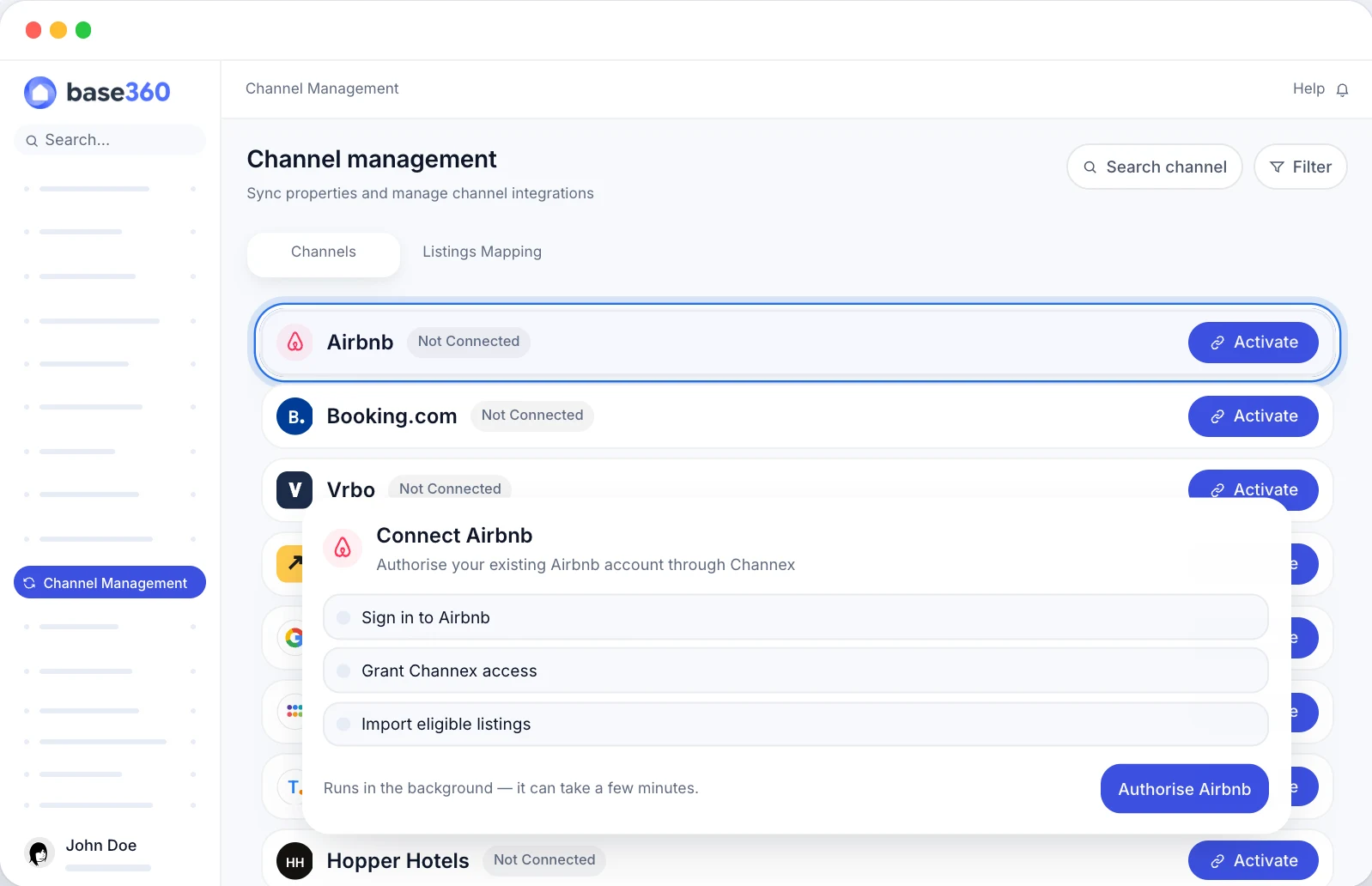
The import takes a few minutes. A listing Airbnb doesn’t allow to connect is skipped, and Base360 tells you which one, so you count the properties that arrived against the listings in your Airbnb account. Photos, descriptions and reviews stay on Airbnb exactly as guests see them today.
Double bookings: one system in charge
A double booking at a switch happens when two systems, or none, control a listing’s calendar at the same time. So the rule is simple: each listing has one system in charge at any moment, and the handover is short and planned. How short depends on the channel.
Airbnb asks you to disconnect the old software and connect the new one straight away, so we switch Airbnb at a quiet hour, when few guests are booking. Booking.com works the other way. Its Partner Hub lets you switch provider without taking the property offline: the old connection keeps taking bookings until the new one is active.
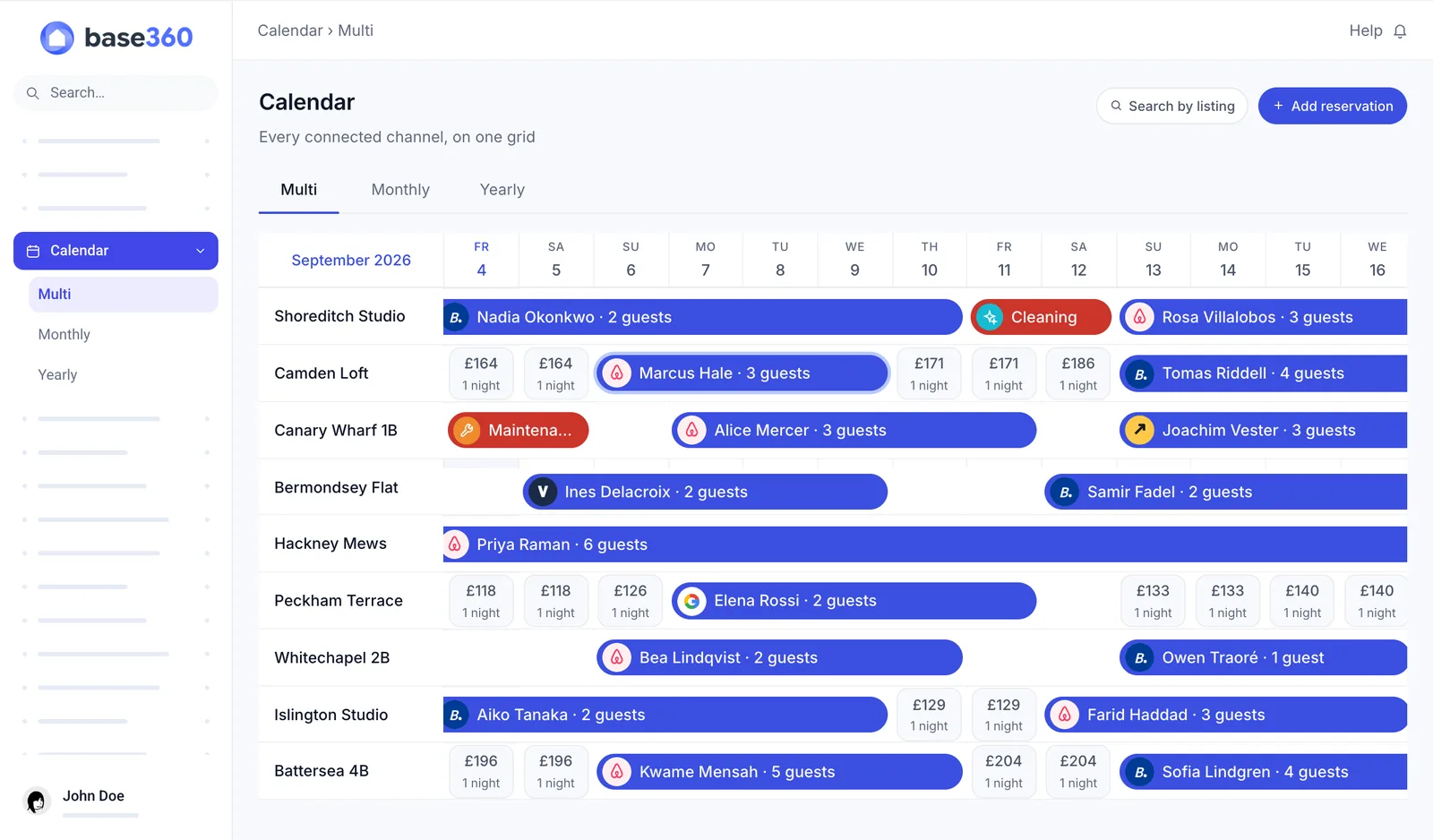
From the moment a channel moves, stop changing prices and availability in the old system, so only one system sends updates. Turn off its automated guest messages, door codes and cleaning tasks for that channel too, so guests and cleaners hear from one system only. Owner stays and maintenance weeks are not bookings, so list them before the switch and block them again in Base360. Updates to the channels are sent in turn, not all at once, so after each switch open a few listings on Airbnb and Booking.com and compare their calendars with Base360. Before the switch, export your current rates and minimum stays as well, and afterwards check a few nights per listing on the channel to see that the prices match. Give your team their Base360 logins and the mobile app before switch day, so nobody learns the new system with a guest waiting.
Good to knowNo software can promise that a switch will never produce a double booking. What you control is how long two systems overlap, and how soon you check the channel itself.
Bookings: checked against your old list
Your upcoming bookings come from the channels, not from your old PMS. Once Airbnb, Booking.com and Expedia are connected, Base360 pulls their future bookings into one calendar, each on the property it belongs to.
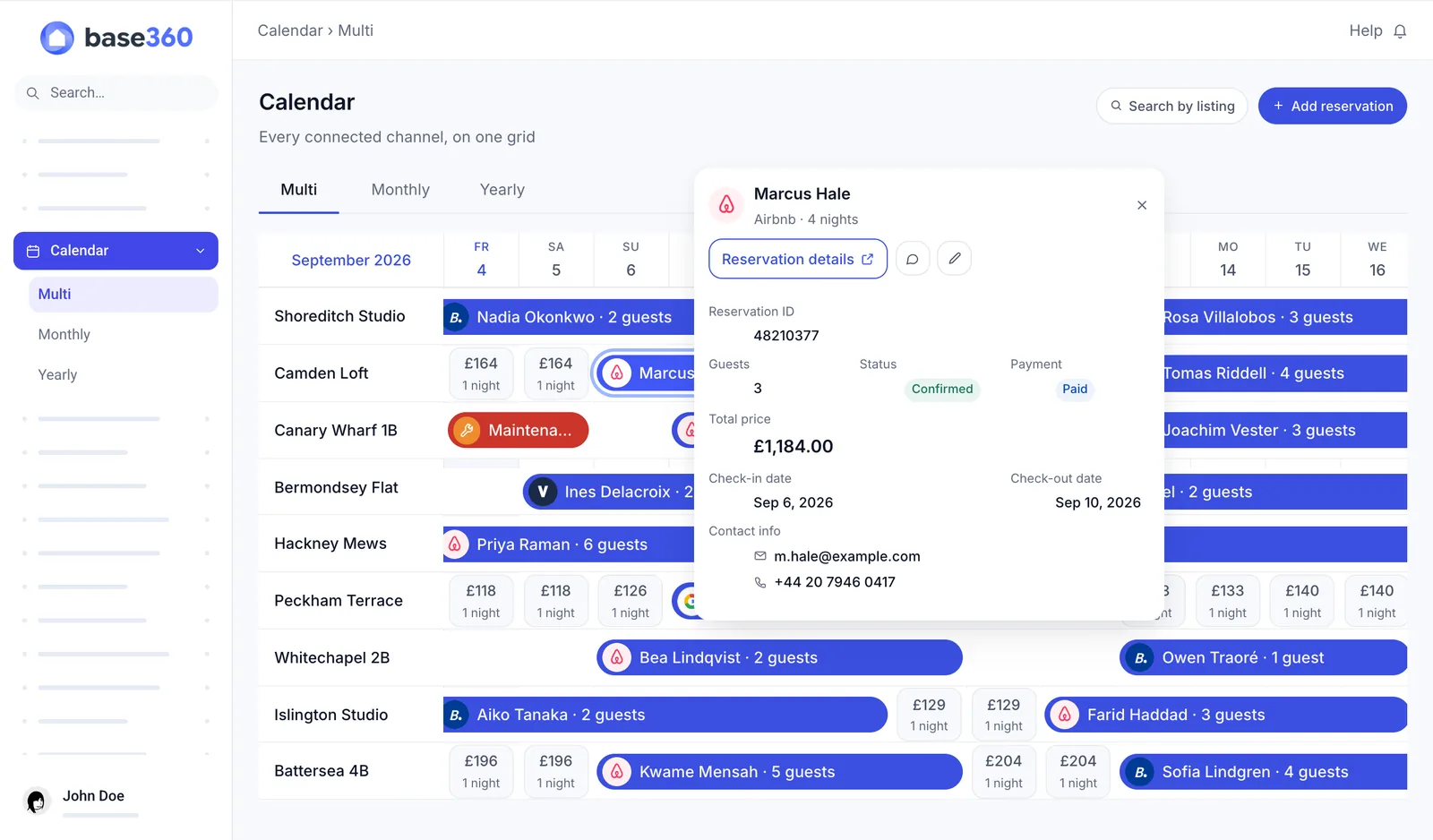
But a booking that arrived doesn’t prove that every booking arrived. So before the switch, export your upcoming bookings from the old system. After it, compare the two lists listing by listing: same guest, same dates, same channel. If an Airbnb or Booking.com booking is missing, Base360 can fetch that channel’s bookings again. Treat the new calendar as the one to trust only when the lists match.
Your data: our team moves it
Your channels hold your listings and bookings, but your old system holds everything around them. So our team moves your structured data for you, free of charge: properties, guests and bookings, including direct bookings that never came from a channel. Your team doesn’t retype an address.
Free text is different. Old message threads may not come across, so export what you want to keep before you cancel your old system. Keep the old system until the bookings match, too: it is your record if a guest asks about a past stay. So check your old contract’s notice period now, and make sure it ends after your bookings match.
Channels: connected on one call
We don’t have your Airbnb or Booking.com logins, and we shouldn’t. So the channels are connected with you, on a call. You sign in, and we connect each channel and match each listing to its property in Base360.
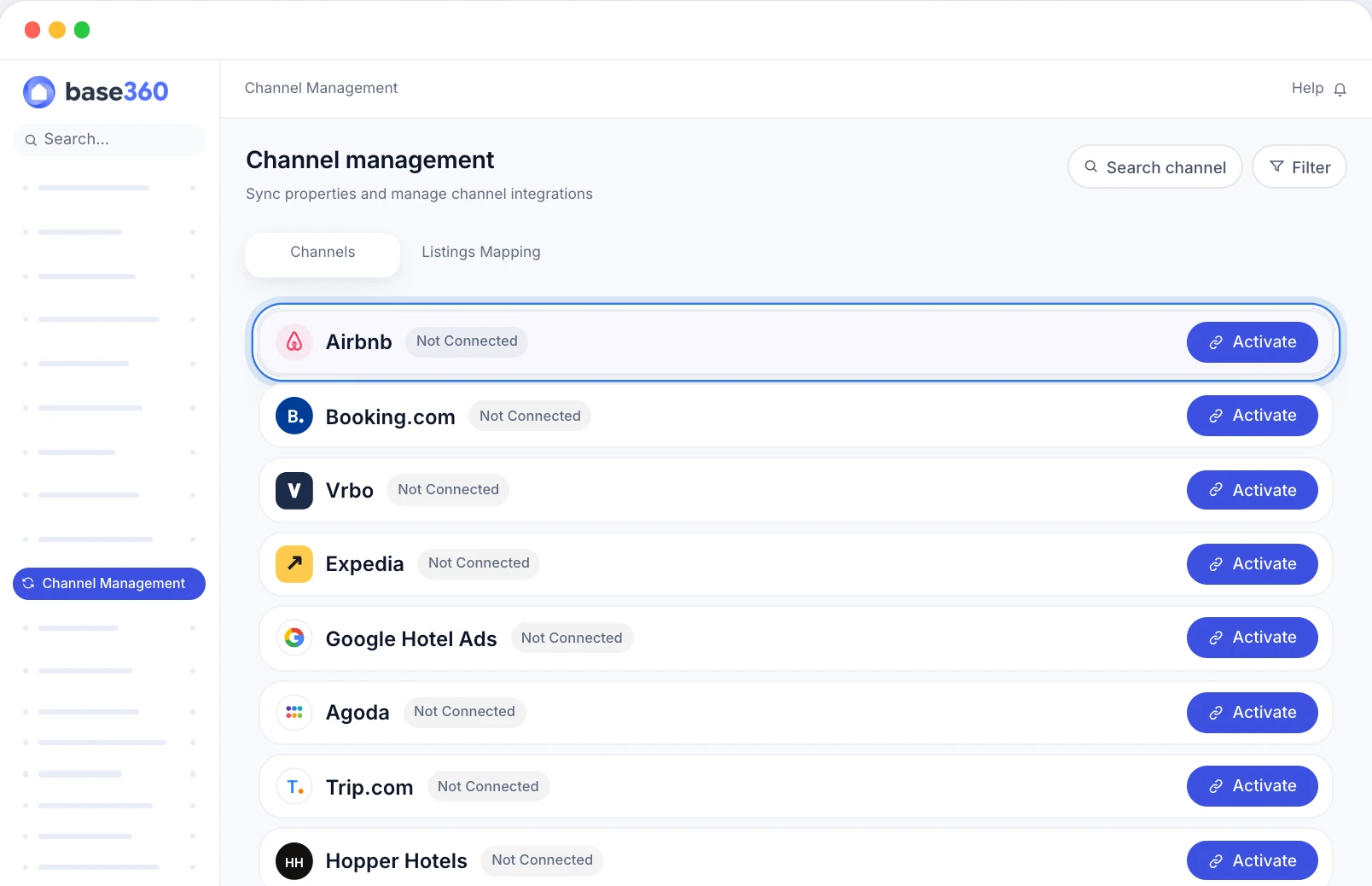
Airbnb connects with one sign-in. Booking.com and Expedia connect by property ID, and each room and rate is matched once. Booking.com may ask you to approve the new connection in your extranet, its partner dashboard. Most channels go live on the call itself, but Vrbo can take longer: before we can connect it, ask Vrbo support to disconnect your old channel manager. Ten channels are built in, and more than 130 can be connected on request. At the end, one screen shows every listing against every channel, so a listing that is live on Airbnb but not on Booking.com stands out.
TipOn Vrbo, match every listing before you submit. Vrbo warns that listings left unmatched may be archived.
Pricing: Claude sets it with you
Your prices should keep reaching the channels on the day you switch, and only one system should set them. Base360 does that through Claude. Connect Claude to Base360 through our MCP connection, and you can ask in plain words how a month went, which listings are weak and what to change. By default, Claude asks before it saves a price change and shows exactly what will change. Approved prices are saved in Base360 and sent to your channels. Our guide to pricing with Claude shows how it works.
If you already use PriceLabs, you can keep it: it connects to Base360 too. Connect it after the channels, because it only connects to properties that already have one, and check which properties took their prices, because a first price update can finish in part. For a property PriceLabs manages, Base360 blocks price changes made inside Base360, so only one system sets each night.
What runs from your first week
Once the channels are connected, the rest of Base360 works on the same bookings. A switch is also the moment to stop running five tools side by side:
- One inbox for your connected channels. AI drafts replies and hands over to your team when a person is needed. See the unified inbox.
- Cleans planned from your bookings. The cleaning team hears about every change by WhatsApp and email, same-day bookings and late checkouts included. See cleaning and maintenance.
- Online check-in and house manuals. Guests get what they need before they arrive. Our online check-in guide explains how.
- AI agents for routine work. A person approves anything that costs money or can’t be undone. See our AI agent workflows guide.
- Owner statements and a CRM for landlords. Report to the owners you work for, and track the ones you want to win, as our landlord leads guide shows.
- iOS and Android apps for your team.
Questions operators ask about switching
What is PMS migration for short-term rentals?
PMS migration means moving a short-term rental or vacation rental business from one property management system to another: the channel connections, properties, guests, upcoming bookings, prices and team. The listings themselves stay on Airbnb, Booking.com and the other channels. You connect them to the new system, you don't rebuild them.
Will I lose my Airbnb reviews if I switch PMS?
No. Reviews belong to the listing on Airbnb, not to the software that manages it. Airbnb's Help Centre says that connecting your existing listings keeps their content and reviews. The risk is creating new listings instead of connecting the existing ones, because a new listing starts with no reviews.
How do I avoid double bookings when switching PMS?
Make sure one system is in charge of each listing's calendar at any moment. Switch one channel at a time at a quiet hour, stop changing prices and availability in the old system once a channel has moved, and check a few listings on Airbnb and Booking.com straight after. Booking.com keeps your old connection until the new one is ready. Airbnb asks you to disconnect the old software and connect the new one straight away.
What happens to the bookings I already have?
Upcoming bookings come from the channels: Base360 pulls future bookings from Airbnb, Booking.com and Expedia once they are connected. Our team moves the rest of your structured data from your old system, including direct bookings. Compare everything with an export from your old system before you cancel it. Old message threads may not come across, so export what you want to keep.
Can I switch to Base360 from Guesty or Hostaway?
Yes. Base360 works the same way whichever system you leave. Your listings and upcoming bookings connect from Airbnb, Booking.com and the other channels, so their reviews stay. Our team moves your properties, guests and bookings from your old system for free, and we connect your channels with you.
Who does the work when I switch to Base360?
Our team moves your properties, guests and bookings from your old system. The channels are connected with you on a call, because the logins to your Airbnb and Booking.com accounts are yours. After the switch, you check your upcoming bookings against your old list.
How long does it take to switch PMS?
Setup can take as little as 48 hours. Your timeline depends on your listings, integrations and onboarding needs. Most channels go live on the call, but some take longer. Booking.com may ask you to approve the new connection. Vrbo can take longer: before we can connect it, ask Vrbo support to disconnect your old channel manager.
Can I keep PriceLabs?
Yes. If you already use PriceLabs, you can keep it: it connects to Base360 for the properties that are already connected to a channel. You can also let Claude manage your prices through our MCP connection. For properties that PriceLabs manages, Base360 blocks price changes made inside Base360, so only one system sets each night.