
AI agents for short-term rentals
The jobs your team repeats, run by AI
Agents take the repeat jobs off your team. Guests hear back on time, urgent issues reach the right person, and no follow-up is forgotten.

Made by The Flex, a rental company.
Our team uses it every day.
What is an AI agent?
Something happens, the agent takes it from there
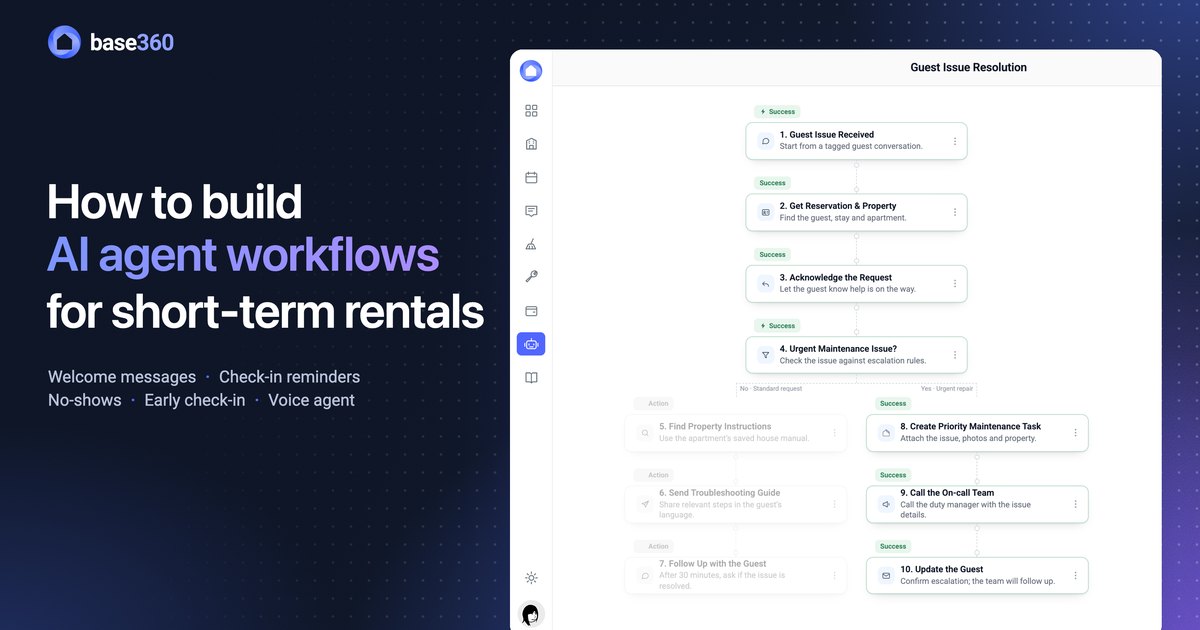
Each agent is a workflow: a trigger, then the steps that follow. Where a step needs judgement, like reading a guest’s message, AI decides.
Build an agentPart 1 of 3
Write it or pick a template, then edit any step
1AI Assistant
Describe the job, AI builds the agent
Describe the job in plain words and AI builds the agent, step by step. You can edit every step.
Starts switched offA new agent runs only once you switch it on.
2Templates
Or start from a ready-made agent
Pick a ready-made agent for a common job. Every step is already in place, ready to change.
Auto-approve upsellsEarly check-in and late check-out, approved when the unit is free.
3AI check
AI answers a yes or no question you write
Write a yes or no question about the guest. AI reads their recent messages and picks the path.
AI Agent stepWrite a goal and AI plans the steps for you to check.
It runs on its ownPart 2 of 3
Switch it on, it runs by itself
4On a guest message
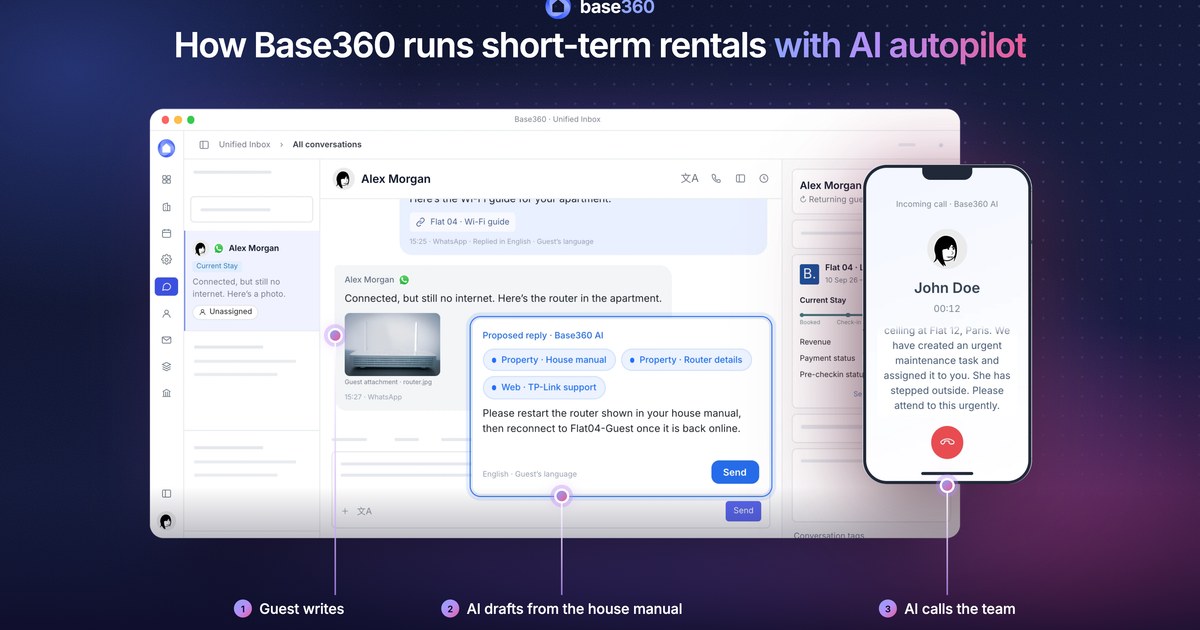
AI spots the repair, your team gets it
Switch the agent on and it runs on every guest message. AI reads each one, picks the path, and the agent runs its steps.
Tasks from the chatOn a tagged conversation, AI turns the guest’s messages and photos into tasks.
5On a check-in time
Start an agent on a check-in time
An agent can start before, at or after a guest’s check-in time, then check the booking and act.
Ready as a templatePotential no-show: access code never revealed.
6Daily summary
One summary instead of many messages
An agent collects the bookings that match and sends one list to the person in charge.
Each booking or one summaryOr act on each booking separately.
See every runPart 3 of 3
Every run logged, every version kept
7Executions
Each run is logged, step by step
See each run’s time, result and path. Retry a failed run from the log.
Run it nowStart a saved agent right away. Actions are live.
8Version history
Restore any earlier version
Each save becomes a version. Restore an earlier one, or copy it as a new agent.
Saved, then liveA restored version runs only after you save it.
9All agents
All agents in one list, grouped in folders
Sort agents into folders, such as escalations, and see which ones are on.
Archive, don’t loseArchive an agent to clear it from the list.
FAQ
Common questions
What is an AI agent in Base360?
An AI agent is a workflow that runs on its own. It starts on a trigger, such as a new booking, a check-in time or a guest message, checks the conditions you set or asks AI a yes or no question about the guest, then acts: it sends messages, assigns the job to a team member, approves upsells or calls someone.
Do I have to build agents from scratch?
No. Start from a template, such as a welcome email, a pre-check-in reminder or a likely no-show check, or describe the job to the AI Assistant and it builds the workflow for you. You can edit every step either way.
Does an agent act without me checking it?
A new agent is inactive and only runs once you switch it on. From then on it runs on its trigger without asking each time, so review it before you turn it on.
Does AI decide what to do on each run?
In its AI steps. Check Guest Messages with AI reads the guest’s messages on every run and answers your yes or no question. For an AI Agent step, AI turns your goal into a plan you check before saving. The other steps run as you set them.
Which channels can an agent message guests on?
Email, SMS, WhatsApp and the booking channel’s own messages, through the senders you have connected. A step can also send a WhatsApp voice note.
Can an agent make phone calls?
Yes. A Phone Call step uses an AI voice to call guests or owners by phone, and reaches your team members in the Base360 app.
Can I run an agent by hand?
Yes. Run workflow starts a saved agent straight away. Its actions are live, so messages, tasks and calls are real.
How is an agent different from Copilot?
Copilot answers when your team asks it something. An agent works without being asked: it starts on its trigger and runs the steps you set. See AI assistant and knowledge base.
Can I undo a change to an agent?
Yes. Every saved change is kept in version history. Restore an earlier version and save it again.
Read next
-
 AI agents guide How to build AI agent workflows for short-term rentals
 -
 AI operations guide AI-powered guest support and operation flow: who does what
 -
-
 Pre-arrival guide How to set up online check-in for short-term rentals
Let’s talk about
your rental business.
Send us your questions or ideas, and we’ll get back to you soon.