

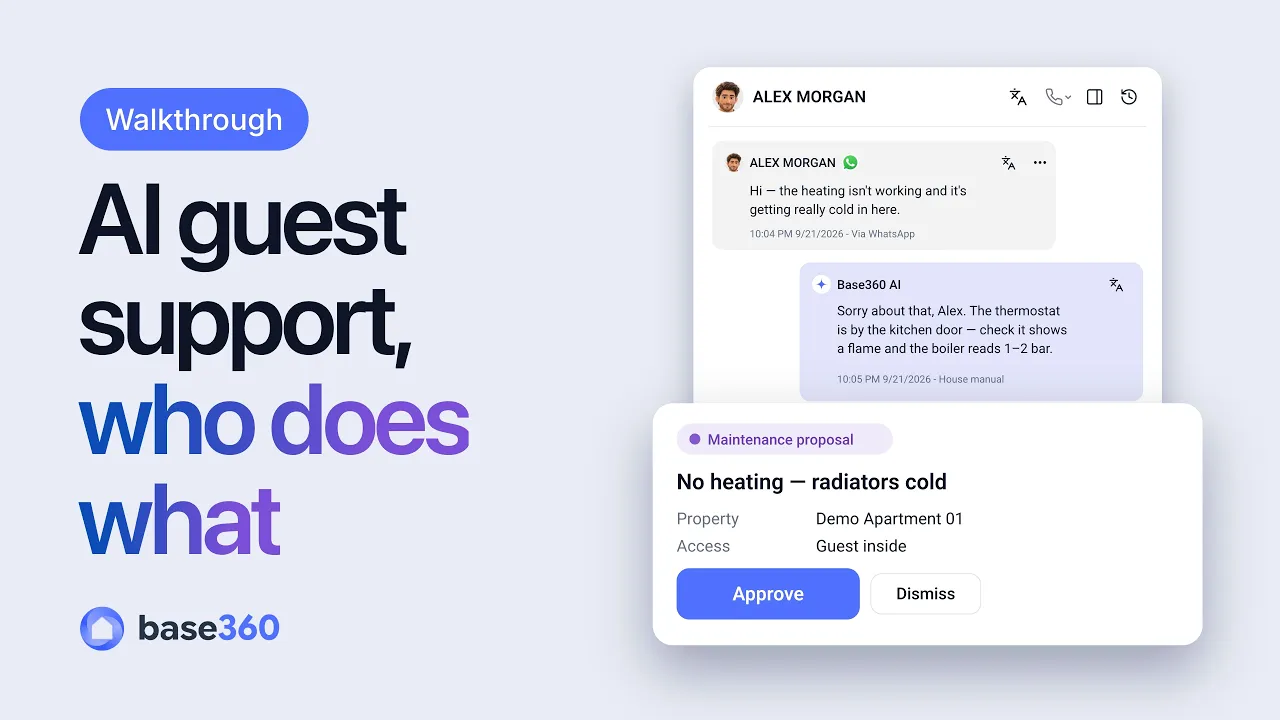
Where short-term rental operations actually break
Ask any operator what went wrong on a bad stay and it's rarely the boiler. It's that the guest messaged at 10pm and whoever was on call had to dig through three tools to find the thermostat. It's that the contractor turned up without the lockbox code. It's that the cleaner walked in on a guest who'd extended by a night, because nobody told the cleaning team.
Every one of those is a handoff between two teams, and any handoff that relies on someone remembering will, sooner or later, be forgotten. With ten units you can hold it all in your head. With a hundred you can't — and you shouldn't have to.
So let's follow one stay. A guest books one of your flats, checks in, and at ten o'clock on their second night the heating stops.
Where AI stops and a person decides
Most talk about AI for short-term rentals is about replacing people. In a working operation the useful question is smaller: which parts of each handoff are reading, drafting and remembering — and which are decisions. Give the first kind to the AI. Keep the second with your team.
| Moment | What the AI does | What a person decides |
|---|---|---|
| Pre-check-in | First pass on the guest's ID | Anything the AI isn't sure about |
| Guest question | Drafts a reply from your house manual | Whether it sends on its own, or waits for a person |
| Phone call | Summarises the call in the guest's thread | What happens next |
| Fault reported | Proposes a maintenance job from the conversation | Approves it before it exists |
| Urgent issue | An agent you built phones the manager on call | Reviews the agent's plan before switching it on |
| Afterwards | Lists the questions it couldn't answer | Who pays, who gets a gesture, which manual to write next |
A simple rule holds across all of them: let AI read, draft and propose; let people approve anything that costs money, sends someone into a home, or can't be taken back. The rest of this guide shows that rule at work, one handoff at a time.
Before arrival: AI checks the ID, the code waits for it
It starts before the guest arrives. The welcome message carries a private pre-check-in link. The guest adds their details, verifies their ID with a document photo and a selfie, sorts out a damage waiver or deposit and accepts your terms. After completing pre-check-in, they can browse optional extras such as early check-in or late checkout. AI does the first pass on the ID; anything it isn't sure about goes to a person on your team.
Our online check-in setup guide explains the check-in steps and the rules for when the door code is shown.
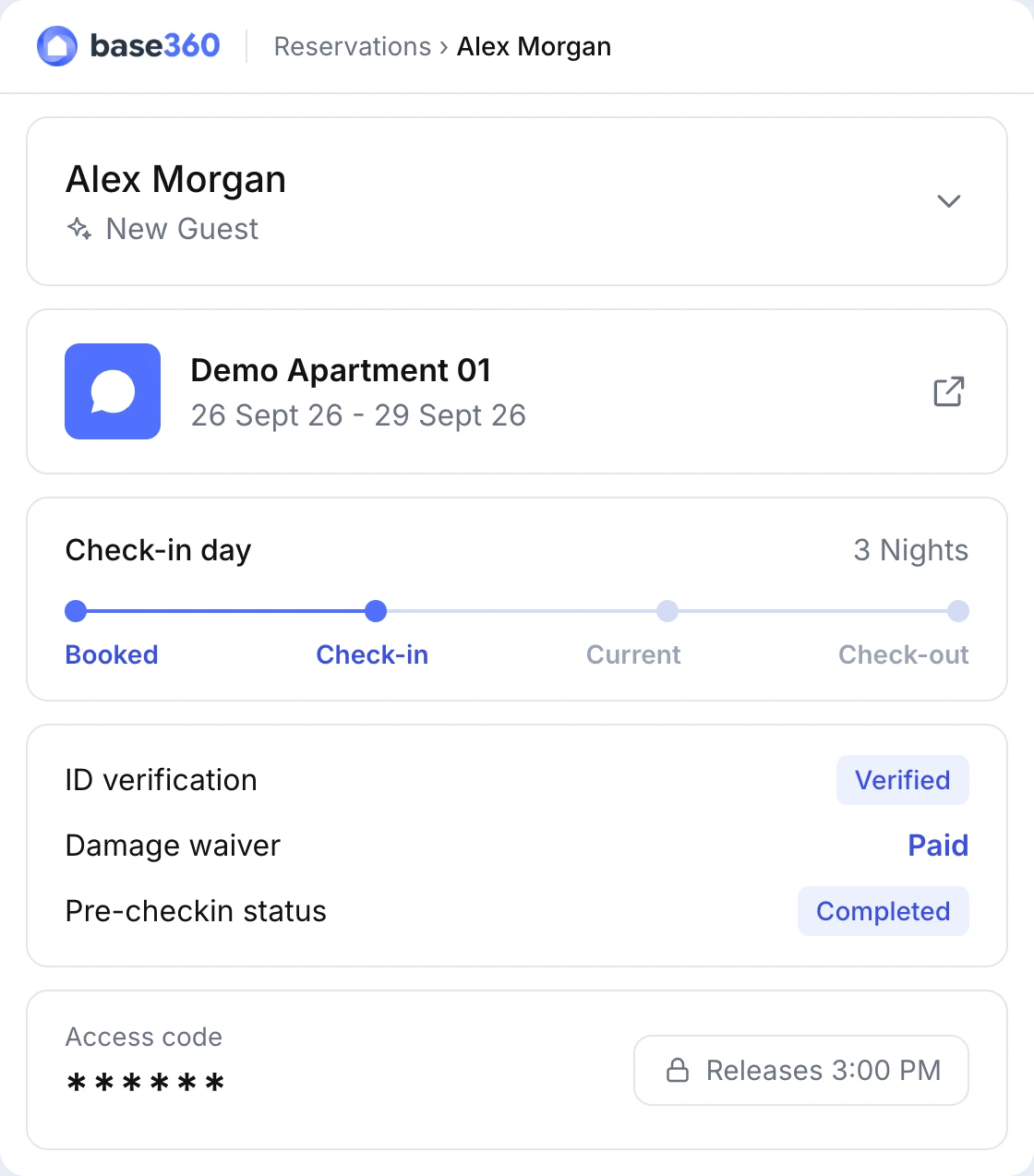
The access code — lockbox, KeyNest or smart lock — stays locked until the ID is approved, the payment is where you need it and the release time has come. Nobody on your team sends codes by hand, and nobody can send one to a guest you haven't verified.
Access isn't scheduled. It's gated.
Late-night guest messages: AI answers from your own house manual
Back to 10pm. The guest writes that the heating's off and it's getting cold. At that hour the person answering is whoever is on call — rarely the person who knows that flat.
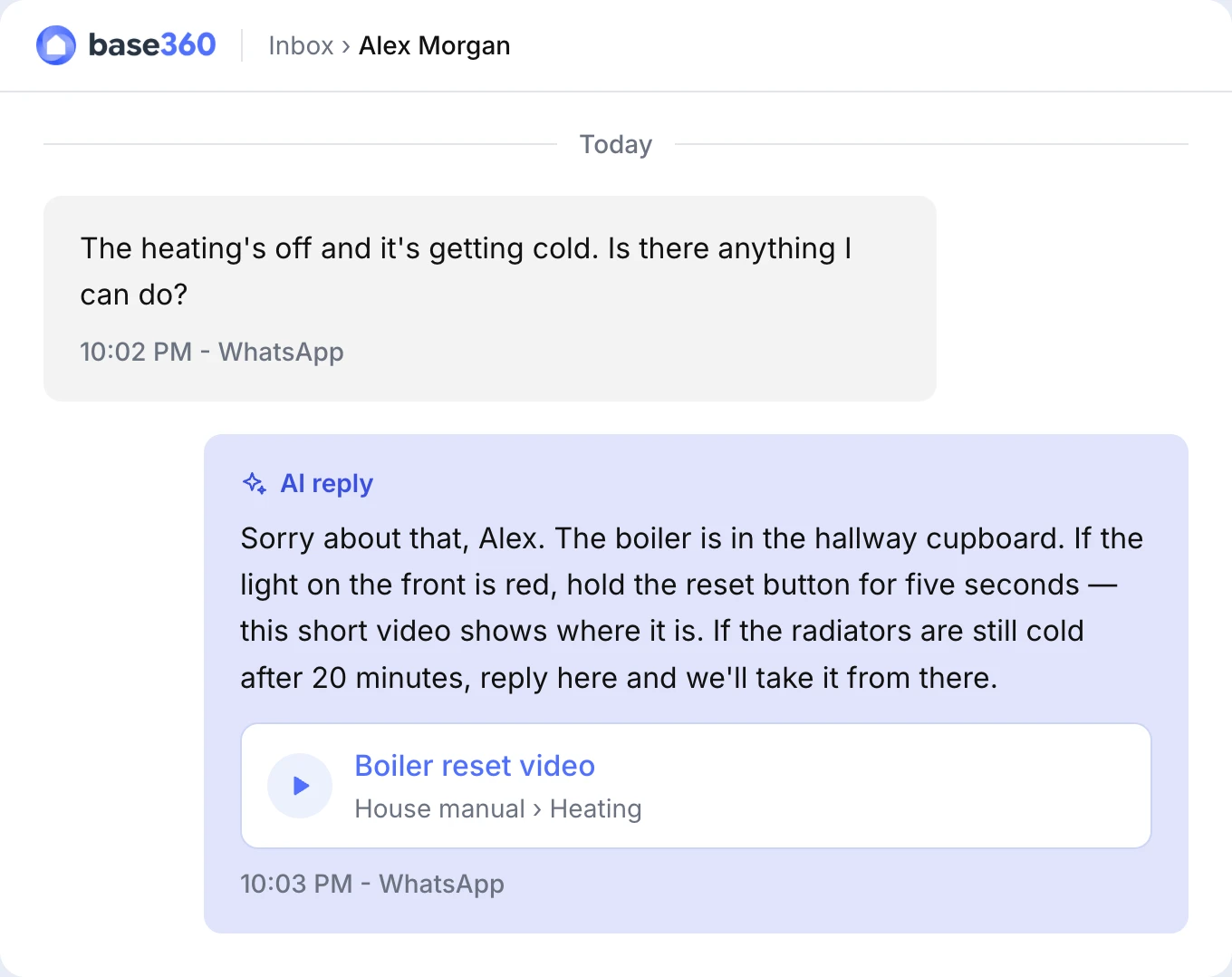
In Base360 every property has a house manual: Wi-Fi, heating, hot water, parking, each appliance — with photos, instructions, a video, and a private layer of internal notes and staff-only photos. If six flats share the same boiler, you write it once and share it across all six.
When the AI drafts a reply, it reads the guest-facing half of those manuals. So "the heating isn't working" doesn't get "have you tried turning it off and on". It gets what your team wrote: where the thermostat is, what the boiler pressure should read, and the thirty-second video of the switch. An outsourced night team knows the script; this knows the flat.
The internal half pays off later. Model and serial numbers and the stop-valve location stay hidden from the guest, and are right there when a contractor needs a part.
One inbox for your channels, with AI at the level you choose
Guests don't pick the channel that suits your team. Email, SMS, WhatsApp, Airbnb and Booking.com messages, Instagram and Messenger replies — and phone calls, answered in the browser — all land in one queue. A call arrives in the guest's thread with its recording and transcript, next to the reservation, where the guest is in their stay, the check-in link, open tasks and an AI summary of the conversation. Whoever picks it up next doesn't ask the guest to repeat themselves.
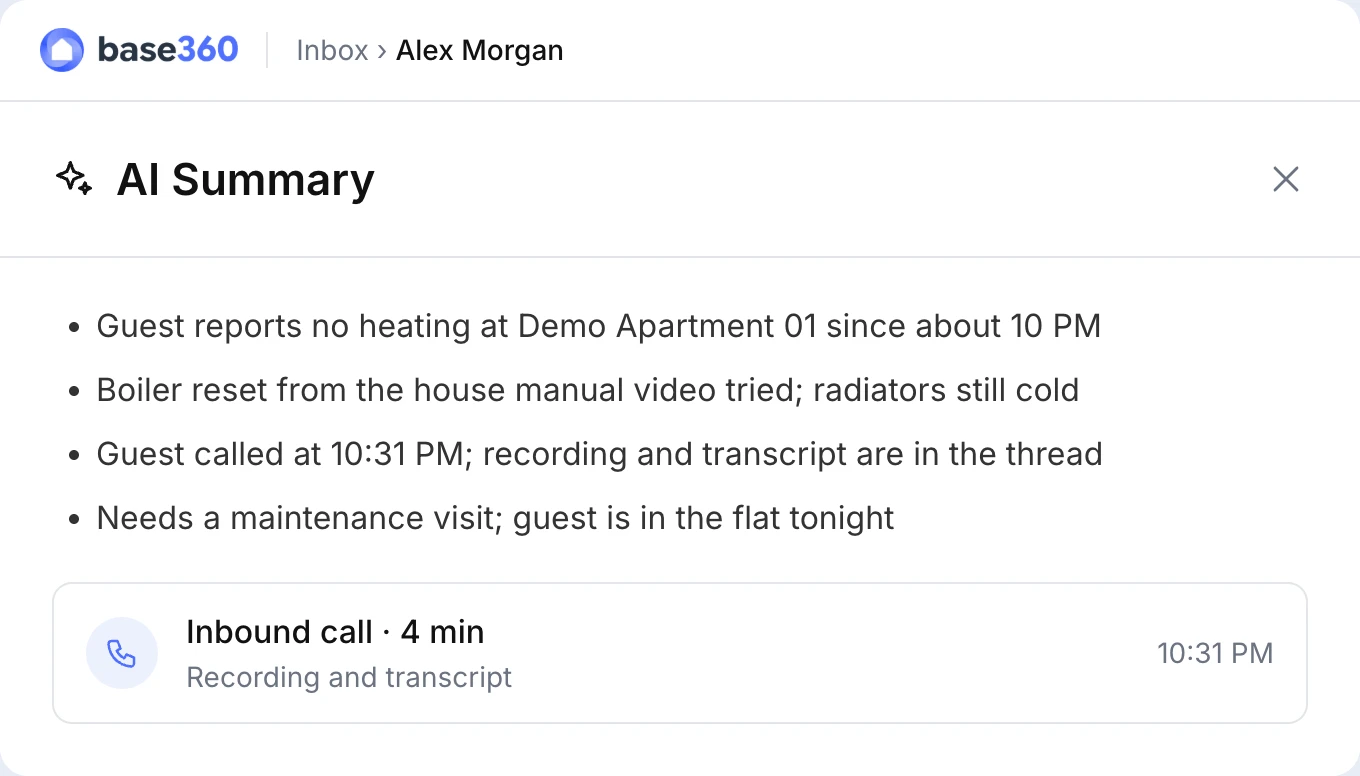
You decide how much the AI does: nothing, drafts only (it writes, a person sends) or automatic replies. When it can't answer safely, it escalates instead of making something up. The inbox also measures the share of messages the AI handled on its own and lists the questions the AI couldn't answer — which, in practice, is your list of manuals to write next. What else to test before choosing an inbox is in What a unified inbox for short-term rentals should actually do.
For the messages that can't wait their turn — a guest locked out, water through the ceiling — you can build an agent that phones the manager on call, with an AI voice that says who, where and what. You see its plan step by step before you switch it on.
From guest complaint to maintenance job: the AI proposes, you approve
Our guest has checked the thermostat. The radiators are still cold. This is the moment where, in most operations, someone copies a WhatsApp thread into a maintenance tool, a spreadsheet or a group chat — and something gets lost on the way.
Here, the AI proposes a maintenance job from the conversation. Someone on your team checks it and approves, and the task form opens already filled in. Before it's created, similar recent jobs at the same property are shown — so the boiler reported three weeks ago is visible now, not when the engineer is standing in front of it.
The AI proposes, a person approves. That's what makes it safe to let near your operation.
Sending a contractor who already knows the flat
The job records whether the guest is in, when keys need collecting, and whether it needs a van or two people. The engineer — your own or a contractor — gets a private link with the lockbox instructions, the code and a video of the way in. No app to install, no login to forget.
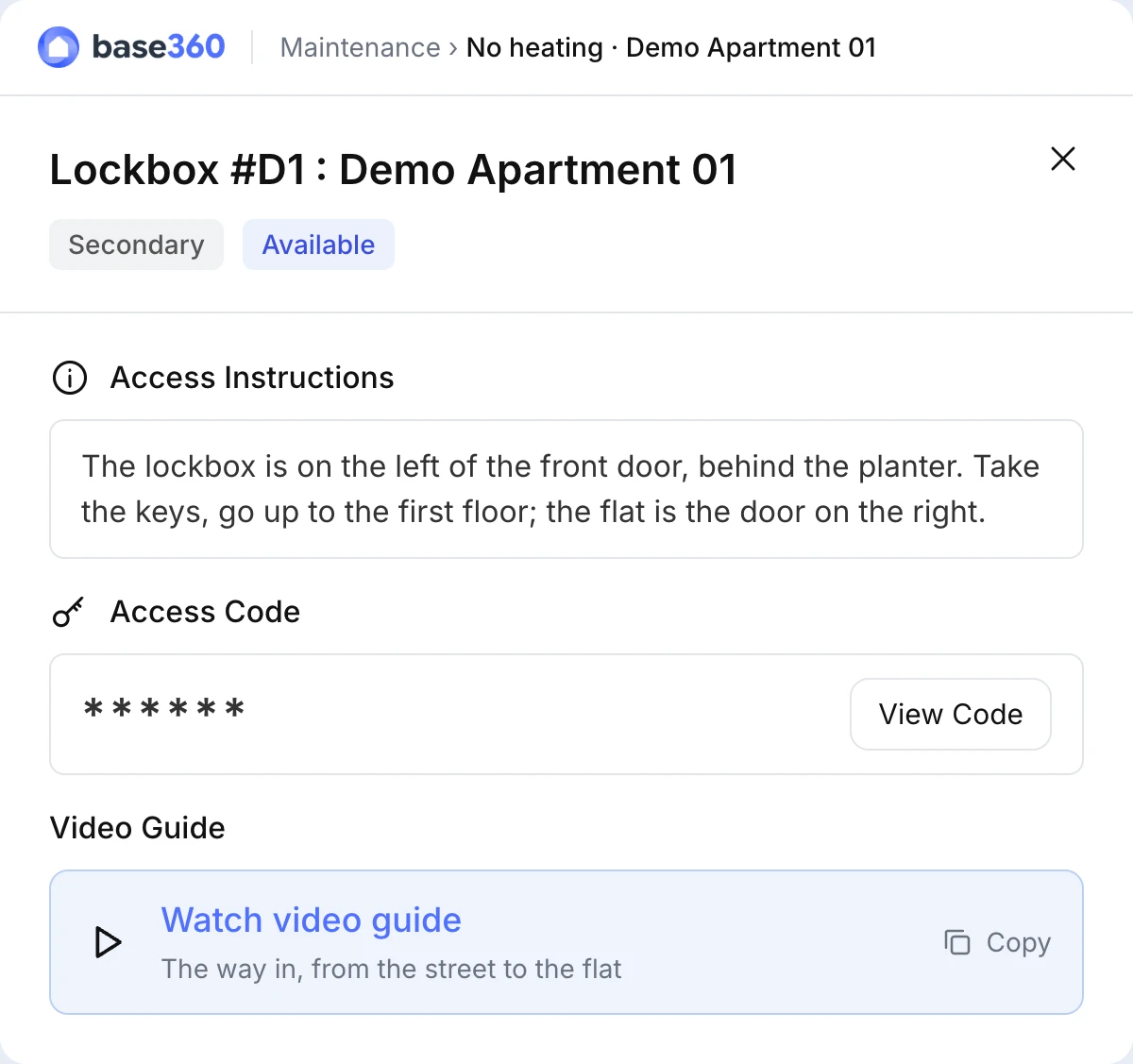
On site, they upload photos and report back: parts needed with a cost, a specialist required, a new date, or done with the receipt. It all lands on the job's timeline, and the property view shows the address's history — so the third call about the same boiler looks like the third call, and the repair-or-replace conversation with the landlord starts from facts.
Every job also records who pays: you, the landlord or the guest. If a guest caused the damage, that's on record at the time — not pieced together after the deposit has gone back.
Keeping cleaners in step with extensions and late checkouts
Warm again, our guest extends by a night. Which means tomorrow's cleaner is now heading to a flat with someone still in it — the kind of mistake guests remember.
Cleaning turnovers are created from checkout dates, with same-day check-ins sorted to the top. A cancellation or no-show becomes a task to go and check the flat, instead of a clean you pay for. An extension, early or late checkout is flagged to the person who runs cleaning in that city by email or SMS before the cleaner sets off, and an agent can message the cleaner directly.
Each cleaner has their own link with the day's jobs, access details, beds and towels. Checklist photos settle the next "the bathroom wasn't cleaned" dispute, and a broken shower reported from the checklist becomes a maintenance job — back into the same loop.
After the fix: guest recovery before the review
The engineer marks the job done, and an agent you've set up lets the guest know. The conversation is labelled as a problem stay. In our own operation at The Flex, that label sends every stay that had a problem to guest recovery: a call, a gesture where it's deserved, a note on whether they left happy. By checkout, you know who to ask for a review — and who needs a conversation first.
None of these steps needed the AI to be clever. It needed it to be in the right place: reading what your team already wrote, and putting the next job in front of the right person. Nobody on your team copied information from one system to another. That's where stays go wrong, and it's the work that grows fastest as your portfolio does.
A fair caveat: it works from what you give it. Channels need their own provider setup, and a flat with a thin manual gets thin answers.
This guide follows one guest issue. For every part of Base360 in one place, from channels to owner statements, see how Base360 runs short-term rentals with AI autopilot, with Raouf's 12-minute video.
Questions STR operators ask
What should AI handle in a short-term rental operation?
The repeatable reading and drafting: a first pass on guest IDs, replies from your house manual, call summaries and proposed maintenance jobs. Decisions that cost money or can't be undone, such as approving a job, who pays for damage or a gesture for an unhappy guest, stay with your team.
Can the AI reply to guests on its own?
Only if you let it. You choose how much it does: no AI, drafts only (it writes, a person sends) or automatic replies. When it cannot answer safely, it escalates to your team instead of inventing an answer.
Where does the AI get its answers from?
From the guest-facing half of your house manuals: Wi-Fi, heating, appliances, parking, with their photos and videos. Internal notes and staff-only photos stay out of the guest's view.
Do I have to write a house manual for every property?
No. Where several properties share the same appliance or setup, you write the manual once and share it across all of them. Internal notes and staff-only photos sit in the same manual but stay hidden from guests.
Does a guest message create a maintenance job automatically?
No. The AI proposes a job from the conversation and a person approves it. The task form then opens already filled in, with similar recent jobs at the same property shown before it is created.
Do contractors and cleaners need an app or a login?
No. Each gets a private link with their jobs, access details and instructions. Photos and reports they add land on the job's timeline.
What happens to a clean when a guest extends their stay?
The change is flagged to the person who runs cleaning in that city by email or SMS before the cleaner sets off, so a person decides. A cancellation or no-show becomes a task to go and check the flat, instead of a paid clean.