

Summary
Ask the guest for the money in the Resolution Centre within 14 days of checkout. If they don’t pay within 24 hours, file with AirCover Host Damage Protection within 30 days of checkout.
AirCover covers up to $3 million per stay. To win, you need three things: a photo from before the stay, a photo of the damage, and the repair cost.
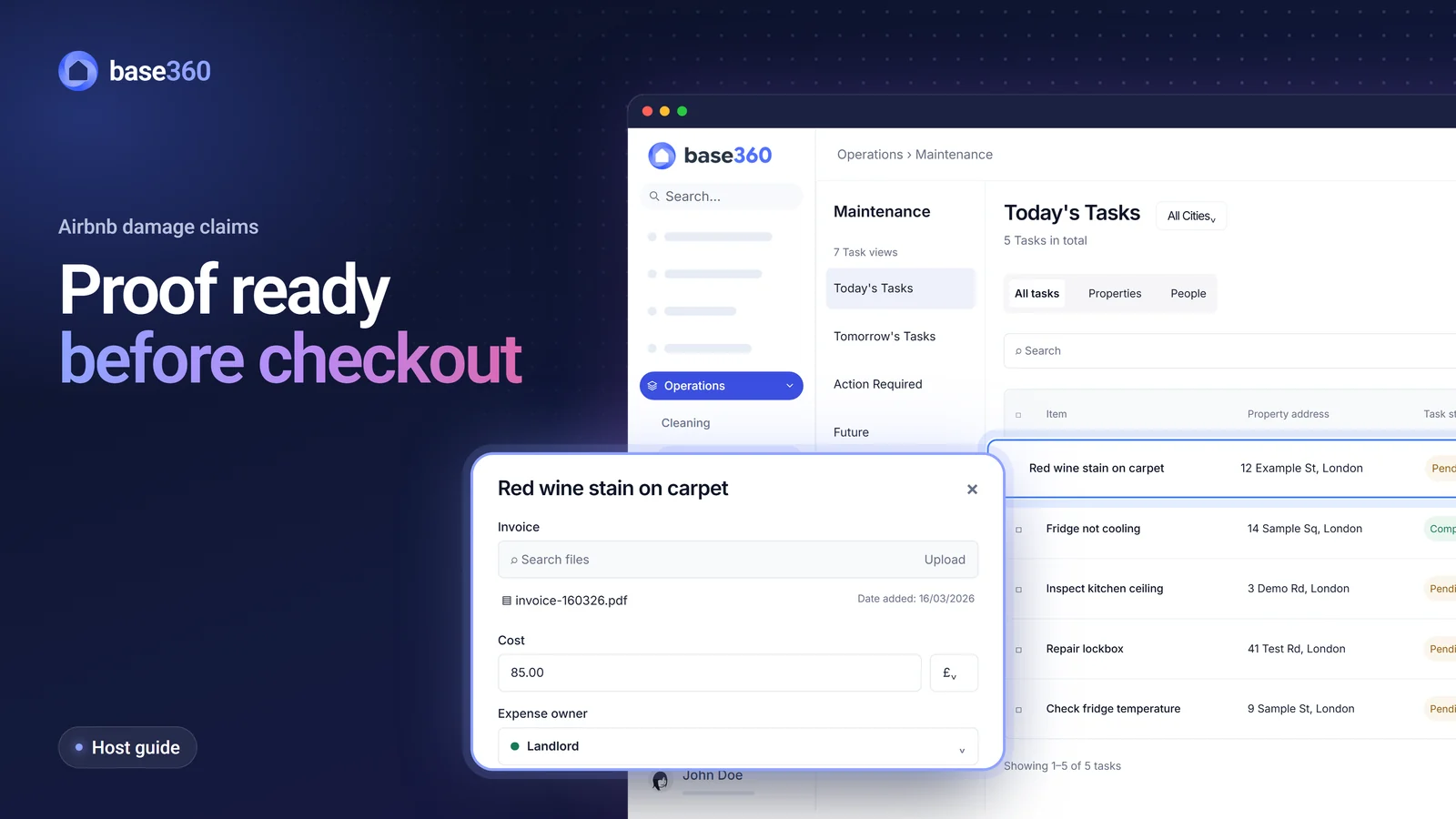
Base360 has that proof ready:
- Every clean and maintenance visit has reports with photos included, so the evidence already exists
- A problem the cleaner reports becomes a repair task with its photo
- Every change to the task is documented with date and timestamps
- Each repair records its cost and who pays
- Calls are recorded, so what guests say on the phone is backed up by Base360
- On direct bookings, a deposit can be held on the guest’s card
The 14-day clock starts at checkout. Gather the proof on the day of the clean.
How to File an Airbnb Damage Claim in the Resolution Centre
Airbnb gives hosts 14 days from checkout to request reimbursement from the guest in the Resolution Centre, and 30 days from checkout to escalate to AirCover Host Damage Protection if the guest does not pay.


There are two stages. First you ask the guest in the Resolution Centre (Resolution Center on Airbnb’s US site). If they don’t pay, you ask Airbnb.
Asking the Guest in the Resolution Centre (By Day 14)
- Photograph the damage before anything is moved or cleaned. Take a wide shot and a close-up. Then stop it getting worse, for example by blotting a spill before it sets. Airbnb’s terms require this.
- Find the before photo of the same spot from the last clean.
- Put a price on it with an invoice, a repair quote, or the item’s make, model, purchase date and replacement cost.
- Request money from the guest within 14 days of checkout. In the Resolution Centre, choose Request money, pick the reservation and reason, enter the amount and attach your photos.
- Give the guest 24 hours. They can pay, offer less, decline or not reply.
Escalating to AirCover Host Damage Protection (By Day 30)
- Ask Airbnb to step in. If the guest doesn’t pay, file a host damage protection request within 30 days of checkout.
- Keep the damaged item and answer Airbnb. Airbnb may inspect it, ask for proof that you own or manage the property, or ask for a police report. If it approves, you sign a payment agreement before you are paid.
| Platform | Claim window | Payout mechanism |
|---|---|---|
| Airbnb | 14 days to ask the guest, 30 days to file with AirCover | The guest pays, or AirCover pays if your evidence holds up |
| Booking.com | Up to 14 days after the stay | Booking.com charges the guest if they agree. If it accepts their rejection, you get nothing |
| Vrbo | 14 days after checkout | Taken from the damage deposit, up to its amount |
Booking.com and Vrbo Damage Claims
Booking.com and Vrbo give you 14 days, and neither has a protection scheme like AirCover. On Booking.com, request a damage fee under the reservation number within 14 days of the stay. Booking.com passes it to the guest. If it accepts the guest’s rejection, the claim closes and you can’t charge the guest directly. On Vrbo, if your listing takes a damage deposit, file a claim within 14 days of checkout, up to the deposit amount. Vrbo suggests messaging the guest in writing first.
How Base360 Keeps Your Claim Evidence in One Place
Base360 records the proof while the work happens, so it is ready before you open the Resolution Centre.
- Cleaner · before check-inThe last cleanTicks and photos, done before the guest arrives.Before photo
- Cleaner · checkout dayThe cleaner’s reportThe damage, with a photo and a note, sent to maintenance.Damage photo
- Your teamThe repair taskEvery change documented with date and timestamps.Timeline
- Your teamExpense trackingThe cost and who pays.Cost
- Your claim, ready well inside the 14 daysThe photos, the history and the cost are already in Base360.Before photoDamage photoTimelineCost
A Before Photo from Every Clean
Most hosts can’t show how the room looked before the guest arrived. In Base360, every property has a cleaning checklist, and a step can be set so it can’t be ticked without a photo. Each finished clean keeps a report with every tick and photo, so the room is on record as the guest found it. Maintenance visits end with a report and photos too.
Require photos of what you would claim for: sofas, beds, carpets and anything expensive. Our guide to short-term rental cleaning shows how to set up the checklist.
The Cleaner’s Report Becomes a Repair
When the cleaner finds damage, they mark the step with a cross and add a photo and a note. Base360 turns it into a maintenance task with the photo attached. Your team knows on checkout day, with almost all 14 days left.
The cleaner also marks who pays. If the guest caused the damage, it is the guest. If not, it is “to be confirmed”. Each repair shows who reported it. That can be the guest, cleaning, operations or customer services. Guests can also report a problem by message. Base360’s AI then drafts a repair task in the unified inbox. Your team approves it.
Before a repair is saved, Base360 shows similar open or recent repairs on that property. If a guest and a cleaner report the same damage, your team sees both and keeps one repair, so you file one claim. Base360 handles this with duplicate repair detection.
Every Change Documented with Date and Timestamps
Each repair task has an Activity feed that saves every change with who made it and when: the report, the assignee, the visit and each status, such as Parts Ordered or Specialist Required. That timeline is what you show Airbnb.
The task also holds the visit plan: key collection, whether the guest is out, and whether the job needs a van or two people. It also shows the next checkout, so the repair fits between guests. Our guide to AI in short-term rental operations shows how the contractor arrives already briefed.
Recorded Calls Back Up What the Guest Said
Guests write carefully in Airbnb messages because they know Airbnb reads them. On the phone they are less careful. A guest may offer cash to keep the damage quiet, admit to a party or another rule breach, or swear at your team after a few drinks.
Base360 records calls in the unified inbox and keeps the recording, a transcript and an AI summary in the guest’s conversation. If the guest later denies what they said, attach the recording or transcript to your claim. Tell guests calls are recorded, for example in the booking confirmation, as data protection law expects.
Cost and Who Pays
The amount you claim needs proof behind it. Each repair records its cost, the invoice and who pays: your company, the landlord or to be confirmed. Expense Recovery shows whether the money has been recovered.
Save a Maintenance view of guest-damage repairs still to be recovered, so none passes the 14 days unnoticed. The Cleaning & Maintenance page shows the repair side in full.
A Security Deposit on Direct Bookings
On Airbnb, most hosts can’t charge a security deposit or hold a card, so damage goes through the Resolution Centre. On direct bookings, Base360’s online check-in can hold a deposit on the guest’s card through Stripe before arrival. If something is damaged, your team takes all or part of it and releases the rest.
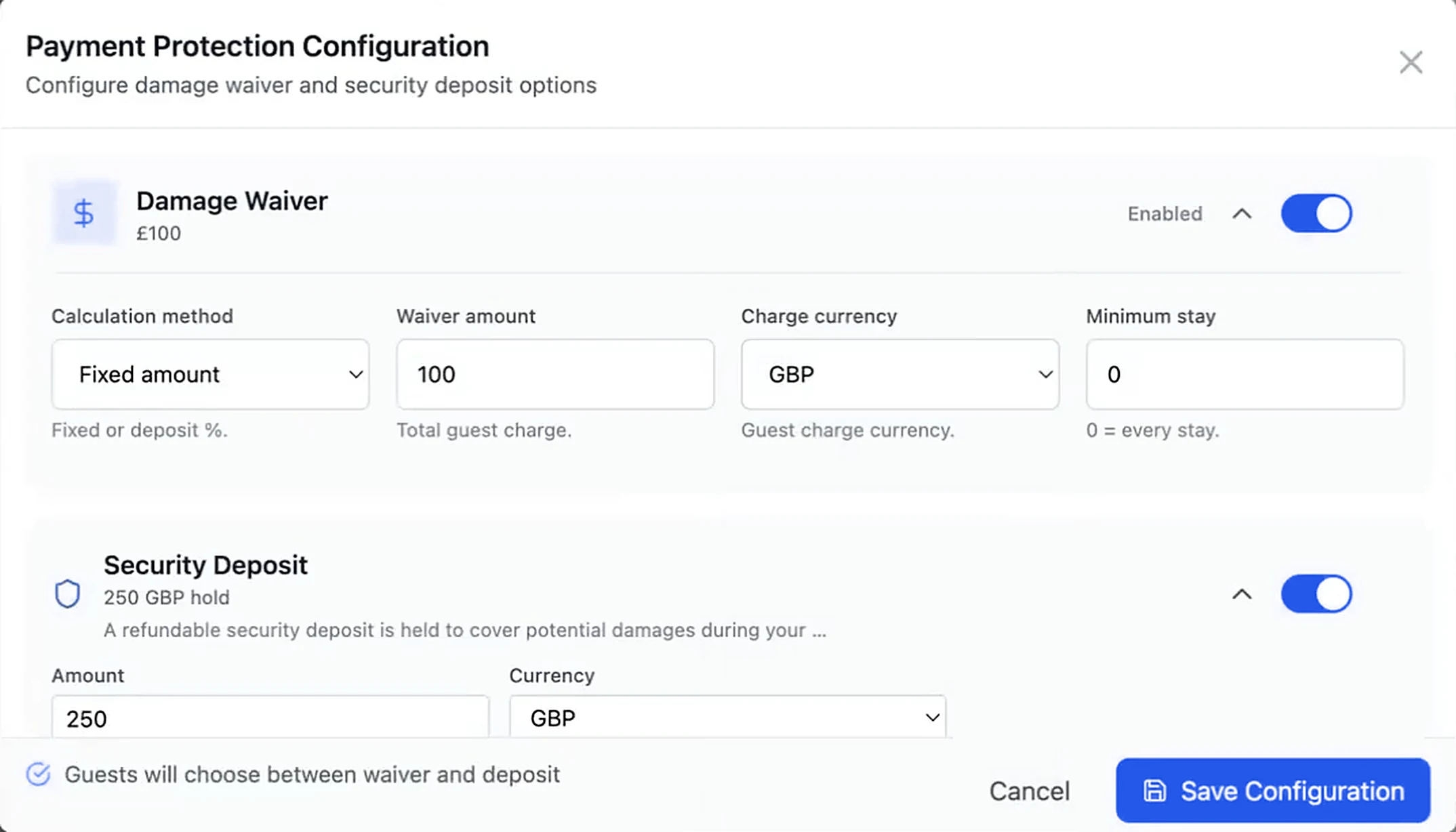
You can offer a non-refundable damage waiver instead, or both. Leave the deposit off for Airbnb and other channels, which have their own damage rules. Our online check-in guide shows the setup. Our check-in instructions guide shows how the door code waits for the deposit. Our guide to managing multiple Airbnb properties shows the same check-in across every home.
We run our own short-term rentals on Base360 and handle guest damage this way. The Base360 walkthrough shows the rest of the stay. If your cleans and repairs live in another tool, moving your PMS data takes one day.
Evidence AirCover Host Damage Protection Asks For
Winning an Airbnb damage claim requires three primary pieces of documentation: an unaltered pre-stay photo, an after-checkout damage photo, and a formal contractor invoice or repair quote. AirCover’s host damage protection terms also ask for:
- Each damaged item’s make, model, purchase date and repair or replacement cost
- A detailed quote for damage to the building
- Invoices for extra cleaning, paid only above your cleaning fee
Airbnb pays the lower of the repair cost and the item’s value after depreciation, so a five-year-old sofa is paid at today’s value. It doesn’t pay for wear and tear, acts of nature, mould or cash.
Why Airbnb Damage Claims Fail (And How to Avoid Rejection)
Most Airbnb damage claims fail on proof, not because the damage wasn’t real. The host can’t show when it happened, what it cost, or that the guest was asked in time. Five problems come up again and again:
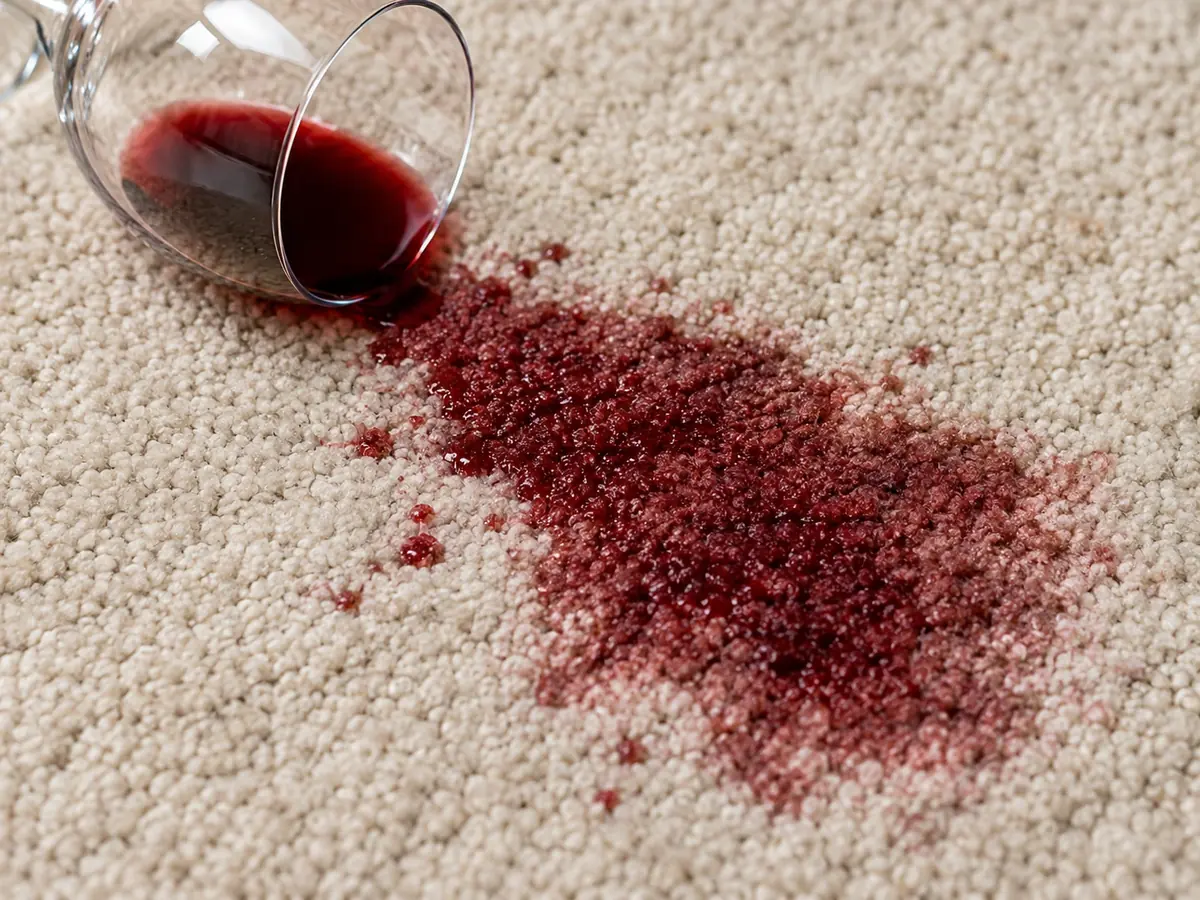
- There is no before photo. The guest says the red wine stain was already there, and nobody can show the carpet on check-in morning.
- The report comes late. The cleaner mentions a broken lamp in a voice note a week later, and half the 14 days are gone.
- The cost is a guess. The invoice is in an email, the quote is in WhatsApp, and the claimed amount matches neither.
- Nobody knows who did what. The repair was booked, rebooked and paid, but no one can say who changed what, or when.
- It looks like wear and tear. Airbnb doesn’t pay for wear, so a worn carpet with no before photo reads as age, not damage.
All five have one cause: the proof is put together after the guest leaves. Base360 keeps the record of every stay from pre-arrival to checkout, so the proof already exists when you need it.
How to Handle an Airbnb Damage Claim Dispute
Airbnb reviews the messages sent through the Airbnb platform when it decides a damage dispute, so keep every agreement with the guest there.
If the guest disputes your request, Airbnb makes the final decision. It checks your photos, your invoice and your messages with the guest. It may ask for more documents or to inspect the damage. Anything it can’t verify is turned down.
You win a dispute with the same three things: a before photo, an after photo and a cost. Answer each of Airbnb’s questions with a document, not a longer explanation. A phone agreement only helps if you can show it, which is why Base360 keeps call recordings and transcripts.
Airbnb can turn a request down when:
- The guest wasn’t asked within 14 days
- The damage looks like wear and tear
- The cost has no invoice or quote
- The photos can’t be tied to the stay
- Nothing was done to stop the damage getting worse
Airbnb Damage Claim FAQs
What is the deadline to file an Airbnb damage claim?
14 days from the guest’s checkout to request the money from the guest in the Resolution Centre. If the guest doesn’t pay, you have 30 days from checkout to file the host damage protection payment request with your evidence.
Does Airbnb pay if the guest refuses the damage claim?
Yes, in many cases. AirCover for Hosts includes host damage protection of up to $3 million per stay, paid when the guest doesn’t pay and your evidence holds up. Airbnb says it is not an insurance policy, and it pays no more than you could have recovered from the guest.
Does AirCover cover wear and tear?
No. Wear and deterioration, acts of nature, mould and cash are among the losses Airbnb’s host damage protection terms leave out. Extra cleaning is paid only above the cleaning fee you already charged.
What happens if the guest disputes the damage claim?
Airbnb makes the final decision. It checks your photos, your invoice and your messages with the guest, and may ask for more documents or to inspect the damage. Anything it can’t verify is turned down. A clear before photo, an after photo and an invoice usually settle it.
Does Airbnb pay the full cost of a new item?
No. Airbnb pays the lower of the repair cost and the item’s actual cash value, which takes off depreciation for its age. That’s why the purchase date matters.
Can I use AI-enhanced photos in an Airbnb damage claim?
No. Airbnb’s terms say evidence must be true and unaltered, and they name artificial intelligence as a form of alteration. Send the original photos and videos.
How long does Airbnb take to pay a damage claim?
There is no fixed time. Airbnb says it handles a complete request within a reasonable period, depending on the size of the claim, the location, the quality of the evidence and any insurance you hold.
Does AirCover cover damage from a party or extra guests?
Yes. Host damage protection covers damage caused by the guest or by people they invited, such as extra guests at a party. Fees for extra people who weren’t on the booking aren’t covered.
Can I charge a security deposit on Airbnb?
No, in most cases. Airbnb says most hosts aren’t allowed to charge a security deposit or a card hold for incidentals, so damage is claimed through the Resolution Centre. On your own direct bookings, you can hold a deposit.
Can Base360 hold a deposit on the guest’s card?
Yes, on bookings where you collect one, such as direct bookings. Base360’s online check-in places a card hold through Stripe, and your team can take all or part of it if something is damaged. You can leave the deposit off for Airbnb and other channels.
Sources
- Airbnb, Host Damage Protection terms
- Airbnb Help Centre, Pricing and payment transparency
- Airbnb Help Centre, Request or send money in the Resolution Center
- Airbnb Help Centre, Managing a Resolution Center request
- Booking.com, Damage Policy notice
- Vrbo Help, File a damage deposit claim