

Base360 vs Breezeway at a glance
Both tools turn bookings into cleaning and maintenance tasks, send them to the people doing the work and ask for photo proof. The difference is that Breezeway sits next to your PMS, while Base360 is the PMS, and that shows up in the jobs below.
| What you need | Breezeway | Base360 |
|---|---|---|
| Bookings and operations in one place | Runs next to your PMS, which handles reservations and financials | Base360 is the PMS, with cleaning and maintenance built in |
| Tasks follow booking changes | Pulls reservations from your PMS and plans tasks from check-ins, checkouts and changes | Cleans come from bookings in Base360’s own calendar, and repairs are timed around its checkouts |
| Booking.com and e-mail messages in the same system as maintenance | Documented only through Guesty’s inbox, if Guesty is your PMS | Yes, they arrive in the Base360 inbox, next to the repairs they lead to |
| A problem in a guest message becomes a task | The AI suggests a task, and your team creates it in a click or two | The AI drafts the repair task, and your team checks and saves it |
| A cleaner starts working | Added as a user, then downloads the app and logs in | A private link in the phone’s browser, with no app or login |
| An outside contractor takes a job | Signs up from an e-mail invite and accepts the job in Breezeway | Opens the job from a private link and sends back photos, receipts and the cost |
| You know who pays for a repair | A Bill To field on the task, showing who the cost is charged to (Breezeway help) | Who pays is set on each repair, next to its invoice status |
| Each step is proven with a photo | Yes, with mobile checklists | Yes, a photo can be required for each step |
Good to knowEvery Breezeway detail on this page comes from Breezeway’s own website and help centre, checked on 7 October 2026. Breezeway changes its product too, so check the latest version before you decide. Breezeway is a trademark of its owner, and Base360 is not affiliated with Breezeway.
Common problems with Breezeway
Breezeway is a capable operations tool, and most of its problems don’t come from missing features. They come from sitting next to your PMS instead of being part of it. These three matter for operators who run a PMS and Breezeway together.
- One operation runs in two systems. A guest asks to stay two more nights, and your team checks the booking in the PMS, then opens Breezeway to check the cleaning and the open repairs. That split is how Breezeway is designed: its own site says your PMS handles reservations and financials, while Breezeway is built for your teams in the field and pulls reservation and property data from the PMS (Breezeway vs PMS).
- Problems reported on Booking.com or by e-mail sit away from the maintenance work. At 21:00 a guest writes on Booking.com that the shower is cold. The message lands in your PMS inbox, while the plumber’s jobs live in Breezeway. Breezeway’s messaging connects Airbnb, SMS and WhatsApp (Breezeway messaging), and its help centre documents Booking.com and e-mail messages only through Guesty’s inbox (Breezeway help). If Guesty is your PMS, this one doesn’t apply to you.
- Every cleaner and contractor needs a Breezeway account. The plumber you call twice a year has to sign up before they can see the job. In Breezeway, team members are added as users and download the app to log in (invite your team, mobile app), and an outside service provider signs up from an e-mail invite, then accepts each job in Breezeway (service providers).
The first two come from the same place: the work lives in one system and the bookings and guests live in another. The third comes from how Breezeway gives outside people access.
How Base360 solves Breezeway’s problems
Base360 is the PMS and the operations tool in one, and gives outside people a link instead of an account. That removes each of the three problems:
- One operation in one system. When a guest extends, your team changes the booking in Base360, and the clean and any repair planned for checkout move with it. Nobody opens a second tool to check.
- Booking.com and e-mail messages next to the repairs. Airbnb, Booking.com, WhatsApp, SMS and e-mail messages arrive in the Base360 inbox, and the AI drafts a repair task from the guest’s message.
- No account for cleaners and contractors. Each one gets a private link that opens in the phone’s browser, so the plumber you call twice a year sees the job without signing up.
On top of that, Base360 plans repairs around checkouts, tracks parts and invoices, and warns you before the same repair is booked twice. The sections below show how each one works.
One system instead of two
Base360 isn’t an operations tool you add to your current PMS. It replaces the PMS and the operations tool together, so your bookings, channels, guest messages, property owners, cleaning and maintenance sit in one system. When a guest extends, the booking, the clean and any repair planned for checkout change in the same place, and your team doesn’t open a second tool to check them.
As the PMS, Base360 also connects your booking channels, such as Airbnb, Booking.com and Expedia, sets nightly prices and stay rules, and prepares a monthly statement for each property owner. If you use PriceLabs, Base360 can leave pricing to it. Bookings, operations and owner statements sit in one system, with no integration between a PMS and an operations tool to watch.
Switching is free and we do it for you: your properties, bookings and guests move over in one day, and you join a short call to connect your channels. Breezeway checklists and task history are a separate step, covered in the FAQ below.
We run our own short-term rentals this way, with our own cleaning and maintenance team. The Base360 walkthrough shows the rest of the system, from the unified inbox to owner statements.
Guest messages and calls in one inbox
Base360 brings Airbnb and Booking.com messages, WhatsApp, SMS, e-mail and phone calls into one unified inbox, next to the booking each conversation belongs to. So your team reads the cold-shower message from Booking.com in the same system where the plumber’s jobs are planned.
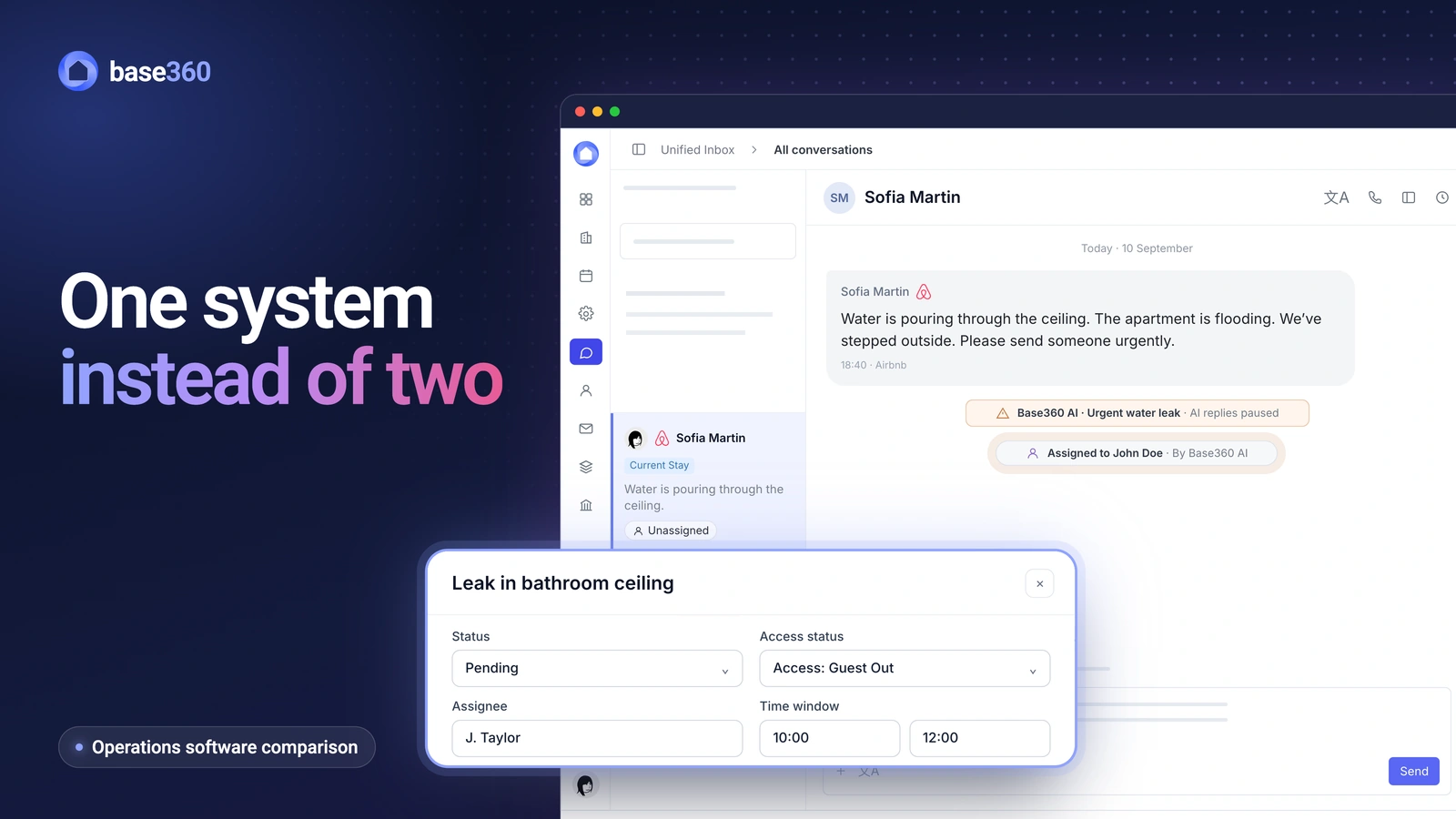
When a guest reports a problem, such as a leak or a heater that won’t turn on, Base360’s AI drafts a repair task for that booking’s property, and your team checks it and saves it. Breezeway’s AI also suggests tasks from guest messages (Breezeway help). In Base360, tasks are drafted from Airbnb, Booking.com and e-mail conversations alike, because they all arrive in the same inbox.
A private link instead of an account
Each cleaner and contractor gets their own private link, which opens in the phone’s browser with no sign-up, app or login. You send it once, and it shows that person’s jobs, how to get into each property and any checklist. Your own team uses the Base360 app on iOS and Android; cleaners and contractors don’t need it.
Cleaners work through the checklist and send back photos. Contractors send back photos, receipts and the final cost, and can mark that a part or a specialist is needed. The link only shows the work and properties given to that person, so treat it like a key and send it only to them.
Repairs booked for the next checkout
When you set a repair for “after checkout”, Base360 books it for the property’s next checkout and keeps it up to date if the guest extends. So a repair that can’t happen with a guest inside waits, and the contractor doesn’t turn up while the guest is staying on.
Parts, specialists and invoices
Each repair in Base360 has a status such as Parts Required, Parts Ordered or Specialist Required, because a repair rarely finishes in one visit. Your team sees why a job is still open without calling the contractor, and every change is saved with who made it and when.
The cost sits on the repair as well: the receipt, the amount, who pays and the invoice status. So when the owner asks about a repair, the answer is in one place.
Warning before a repair is booked twice
Before a new repair is saved, Base360 shows similar open or recently finished repairs for that property. So when a guest and a cleaner report the same leak, your team sees both and decides whether it’s the same fault or a new one.
What works the same as Breezeway
If you are moving from Breezeway, the everyday basics are there. Cleans are created from checkouts and follow booking changes, each property has its own checklist, and any step can require a photo. Cleaners can report a problem from the checklist, and it becomes a maintenance task.
The Cleaning & Maintenance page shows these features in full, and our Turno alternative page compares Base360 with a cleaning-only app.
When Breezeway is the better fit
Breezeway is built to run alongside a PMS. If you are happy with your PMS and only want a dedicated tool for your field teams, Breezeway is designed for exactly that, and you keep your current system. If Guesty is your PMS, its inbox also brings your Booking.com and e-mail messages into Breezeway (Breezeway help).
Base360 suits operators who would rather run bookings, guests, cleaning and maintenance in one system than connect two.
Questions vacation rental operators ask
Is Base360 a good Breezeway alternative?
Yes, for short-term and vacation rental operators who would rather run one system than a PMS plus an operations tool. Base360 is a property management system for short-term rentals with cleaning, maintenance and a unified inbox built in. If you want to keep your current PMS, Breezeway is built to run alongside it.
Do my cleaners and contractors need a Base360 account?
No. Each cleaner and contractor gets a private link that opens in the phone’s browser, with no app or login.
Does Base360 bring Booking.com and e-mail messages into the same place as maintenance?
Yes. Airbnb and Booking.com messages, WhatsApp, SMS, e-mail and phone calls arrive in one inbox, in the same system as your cleaning and maintenance, whichever PMS you used before.
Can Base360 create maintenance tasks from guest messages, like Breezeway?
Yes. When a guest reports a problem in a message, Base360’s AI drafts a repair task for that property, and your team checks it and saves it. Breezeway’s AI also suggests a task from a guest’s message, and your team creates it in a click or two.
Does Base360 have photo checklists like Breezeway?
Yes. Each property has its own checklist, and any step can require a photo. The step can’t be ticked until the photo is in, and cleaners can report a problem from the checklist so it becomes a maintenance task.
How do I switch from Breezeway to Base360?
We move you over for free, however many properties you have. Our AI agents connect to your current PMS or channel manager, capture your properties, bookings and guests, and bring them into Base360 in one day. You join a short call to connect your channels, because only you hold the logins for Airbnb, Booking.com and the others. Your Breezeway checklists and task history are a separate step: you tell the AI what you want set up, such as each property’s checklists, and it prepares the steps and follows up with you until it’s done. If you want your task history in Base360 too, we’ll look at your Breezeway export together. How long that takes depends on your account. Our team helps throughout the move.
How much does Breezeway cost?
Breezeway has a free plan, a paid plan for hosts and quoted plans for larger teams (Breezeway pricing, checked 7 October 2026). It is a separate product from your PMS, priced separately.